Page 13 of 18 Copyright © Access-IS 2019
4. Operation
To read a barcoded boarding pass:
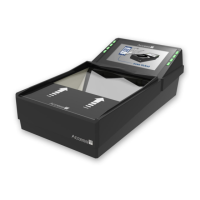
• Place the document face-down into the barcode reader zone. As soon as a document is
detected, the barcode reader’s LEDs will illuminate the document.
Note: The BGR750 will automatically illuminate a barcode on a mobile device at a lower level
than a barcode on a paper document.
The barcode imager is omni-directional, and a well-printed document should be read almost
immediately.
Better read performance will be achieved if the document is held flat on the glass surface within
the reading zone (clear area of the glass).
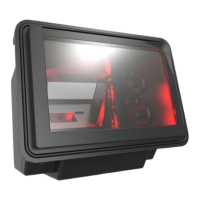
The boarding application determines if the document is valid, and the BGR750 sends a
message to the operator message display. Either the green LED (OK to Board) or the red LED
(Do Not Board) is illuminated.
To read a passport (on OCR-enabled units):
• Place the document flat on the glass area of the BGR750 making sure the whole document is
presented.
The document will be read once movement stops. Green LEDs will indicate that the document
has been read.
RFID enabled units will read the RFID data from ICAO documents where applicable. Other RFID
travel cards are supported on a case by case basis. Please contact support for assistance.
If the BGR750 does not appear to be working:
• Contact Customer Support (support@access-is.com) for further assistance.
Alternatively, use the Contact Customer Support page on the Access-IS website.
Note: Do not attempt to disassemble the BGR750 if it does not operate correctly. Any attempt to do
so may be dangerous and will invalidate the warranty.


 To Next Page