7
Introduction
Box Contents
Installation
A) Unpacking the unit
After unpacking the unit, store the box and the packing material for future
shipping. Failing to ship the unit in its original unit box and Styrofoam will
void the unit’s warranty.
B) Installation
•Select an appropriate workspace and make sure it is clean, at and leveled.
•The unit should never be placed near or over radiator or heater registers as well
as far from strong source of lights.
•Operate on only the following power sources:
120 VAC/60 Hz, (American Standard) or
240 VAC/50 Hz, (European Standard)
•Plug the power cable to the back of the unit and into the wall outlet.
•Turn the unit on and verify its functioning. In case of any functioning problem;
get contact immediately with your provider.
Note: When replacing fuses, make sure to use the same type of fuse and rating.
1. Power Up
1.1 Notes Selection
To ensure trouble-free operation:
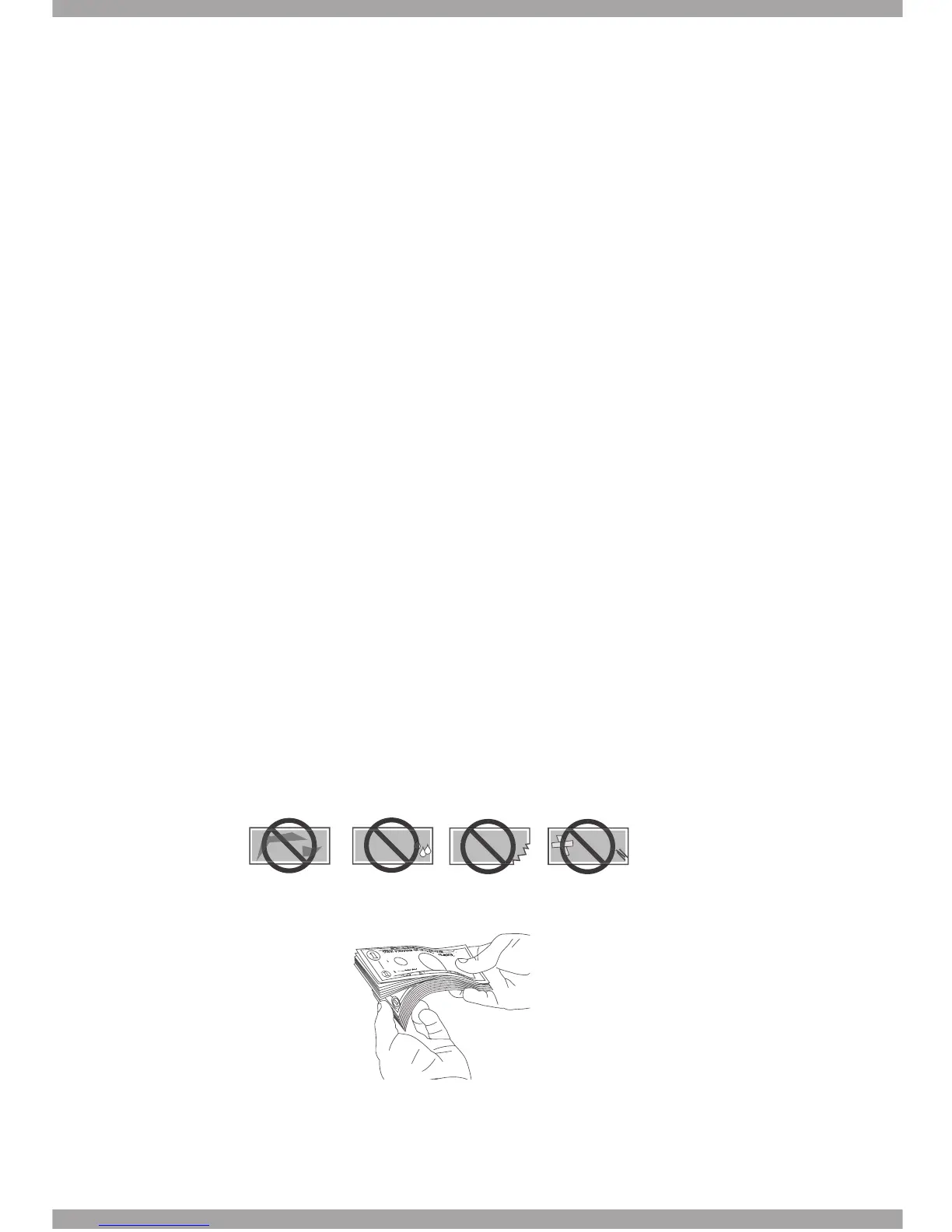
1. Avoid counting wet, excessively dirty, folded or curved notes.
2. Check for foreign objects mixed up with the bills like paper clips, rubbebands,
pieces of paper etc.
3. Fan each bundle before counting in case the notes are slightly adhesive on
each other.
4. Make sure to put the notes on the hopper in an orderly manner to ensure on
accurate and errors-free operation.
$$
$$
$$
$$



 To Next Page