18
5. Warning and Error Messages
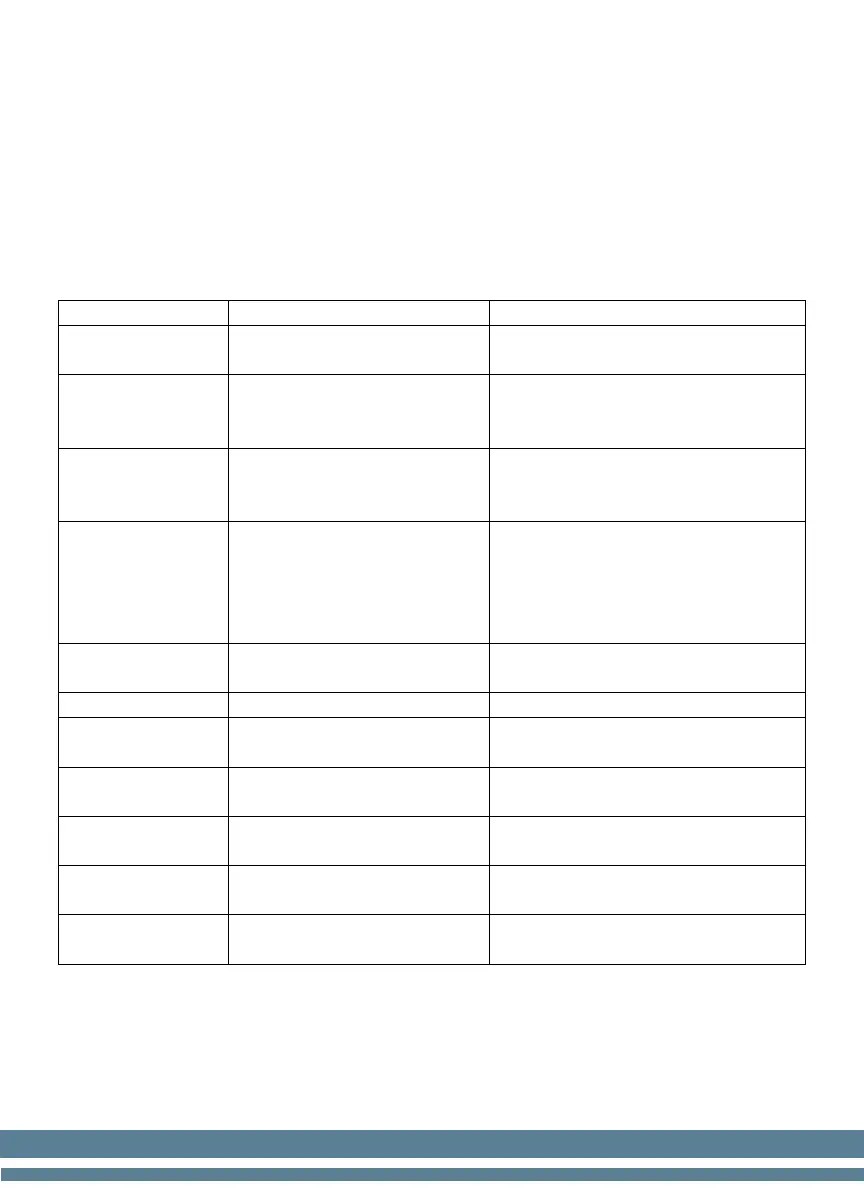
Error Messages
The unit might report any error message to notify the operator about any
incident or anomaly during the counting. This table shows a summary of the
possible error messages.
UV Alarm Suspicious UV feature
- Remove the suspicious bill
- Consider reducing UV sensitivity
MG Alarm Suspicious MG feature
- Remove the suspicious bill
- Consider reducing MG
Chain Error
Two or more bills passed
together (partially overlap)
- Adjust thickness adjustment
knob
- Verify the bill’s fitness quality
Double Note
Two or more bills passed
together (one on top other)
- Adjust thickness adjustment
knob
- Consider reducing LEVEL
DD Alarm
Check the size of the bill
(width)
- Verify the specific bill
- Consider reducing DD sensitivity
Check for a mutilated bill
- Remove the specific bill
Reset Unit
The emergency stop is
activated
- Turn the unit OFF and ON again
Hopper sensor problem or
bills in the hopper
- Clean the hopper sensor
- Contact technical support
Stacker sensor problem or
bills in the stacker
- Clean the stacker sensor
- Contact technical support
Count Sensor R
Right counting sensor
problem
- Clean the sensor
- Contact technical support
Count Sensor L
Left counting sensor
problem
- Clean the sensor
- Contact technical support
NOTE: If/When replacing fuses, make sure to use the same type and rating
as the one that came with the equipment.


 To Next Page