9
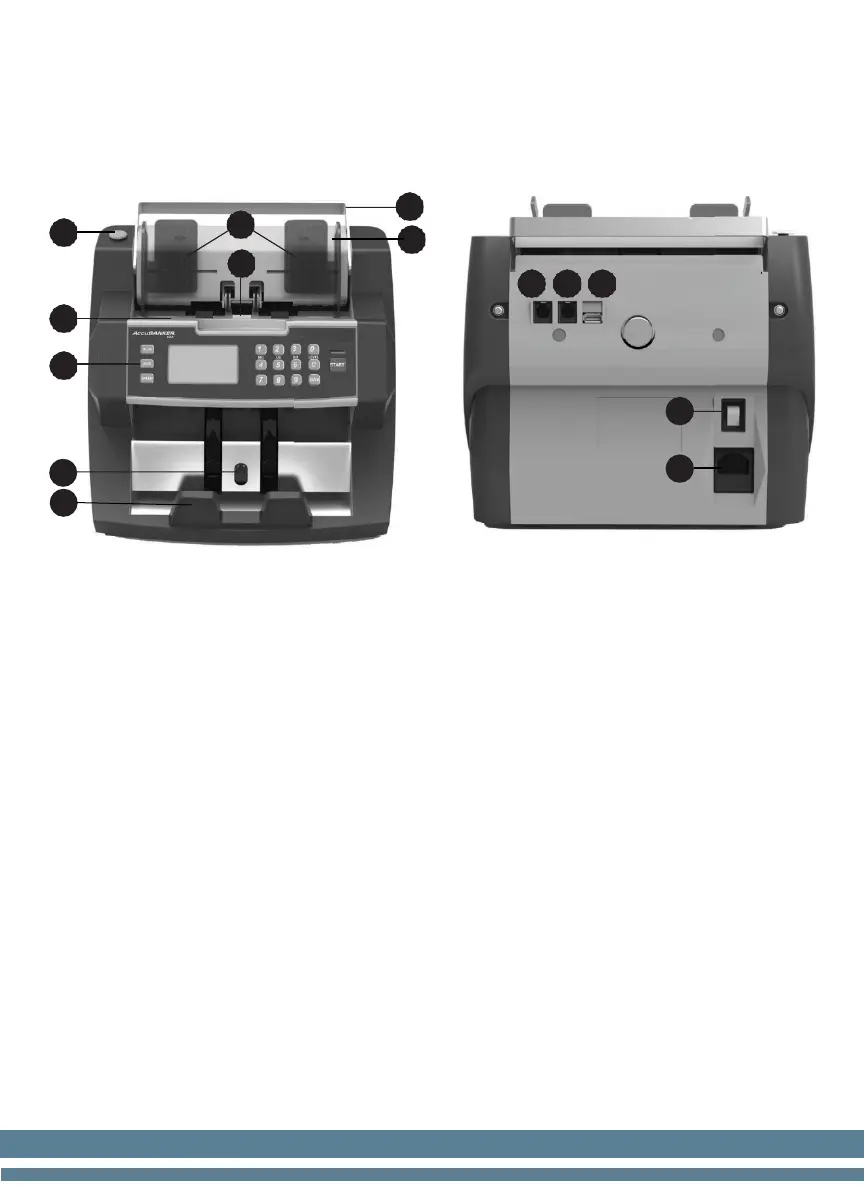
3. Equipment Overview
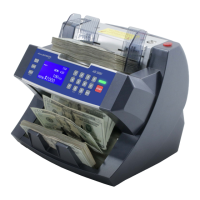
3.1 Part Description
1. Bill Guiders: Aligns the bills to be counted
2. Hopper Sensor: Senses when bills are on the hopper tray
3. Emergency Stop Button: Stops the counting operation instantly
4. Hopper Tray: Bills are placed here to be counted
5. Display / Control Panel: Controls counting operation functions
6. Stacker Sensor: Senses counted bills
7. Stacker Tray: Counted bills are collected here
8. Carry Handle: Used to carry/transport the equipment
9. Feeding Gap Adjustment Knob: Adjusts the width of the opening
from the hopper tray to the feeding channel
10. Serial 1 Port: Printer port/ Software updates
11. Serial 2 Port: Auxiliary Display port
12. USB Port: Updates installation / Technical Service
13. On / Off Switch: Used to turn the bill counter ON & OFF
14.
Power Jack: Used to connect the power cable


 To Next Page