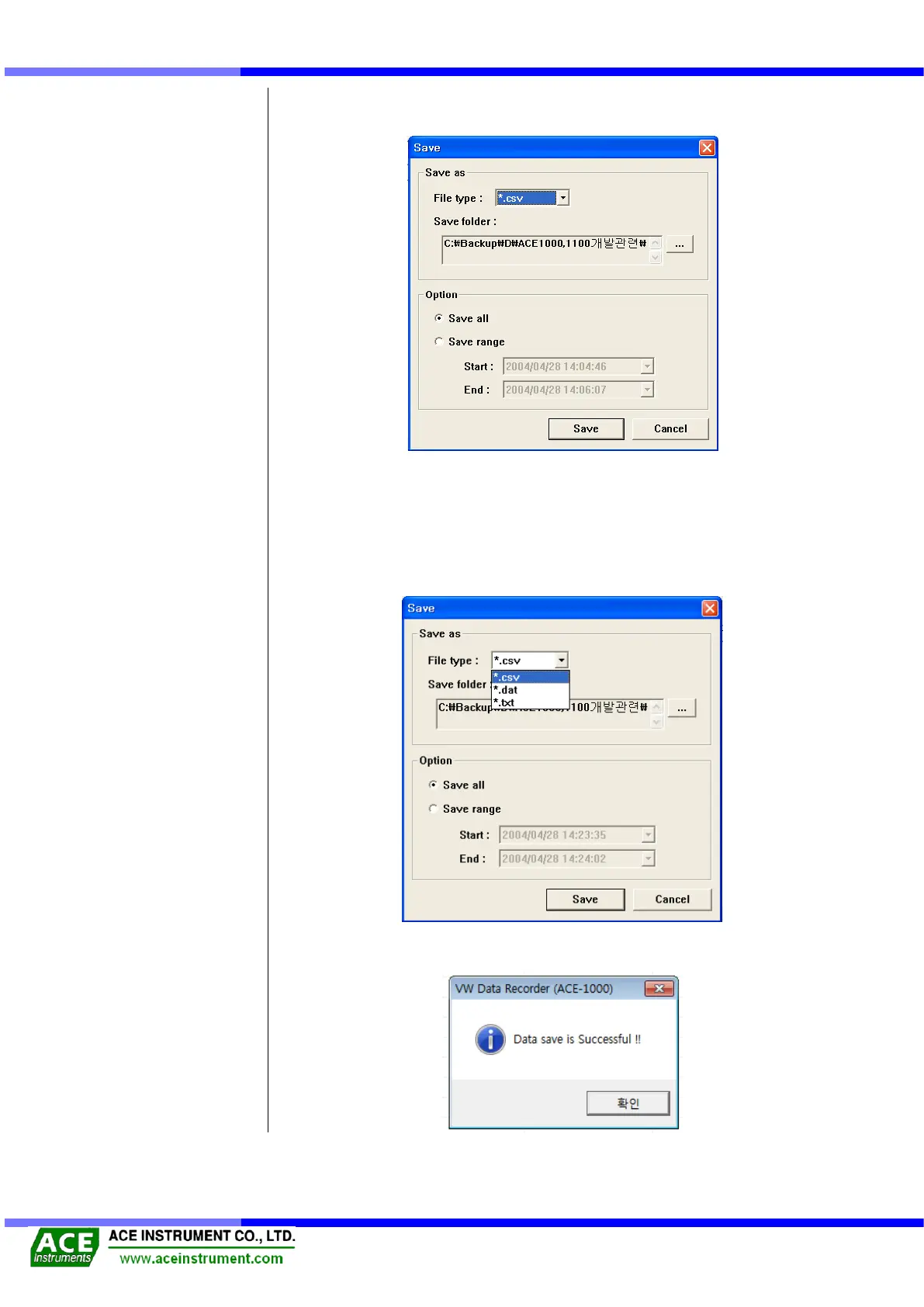
In the case of save data in down screen, click the [Save] button.
Then, display the save option window as the below picture.
File type option has function that able to choose extension of saved data. This
make use of extension of *.csv and *.dat for using in operation program like MS
Excel. And this make use of extension of *.txt for checking in text file program like
WordPad. After choose the txt file, save it. Then WordPad program is operating by
itself and is showing the data. At the Save folder option, you can choose and save
that you want to folder.
After completing the option check, click [OK] button to save the data and confirm when the
save complete message is generated.


 To Next Page