62 Chapter 3
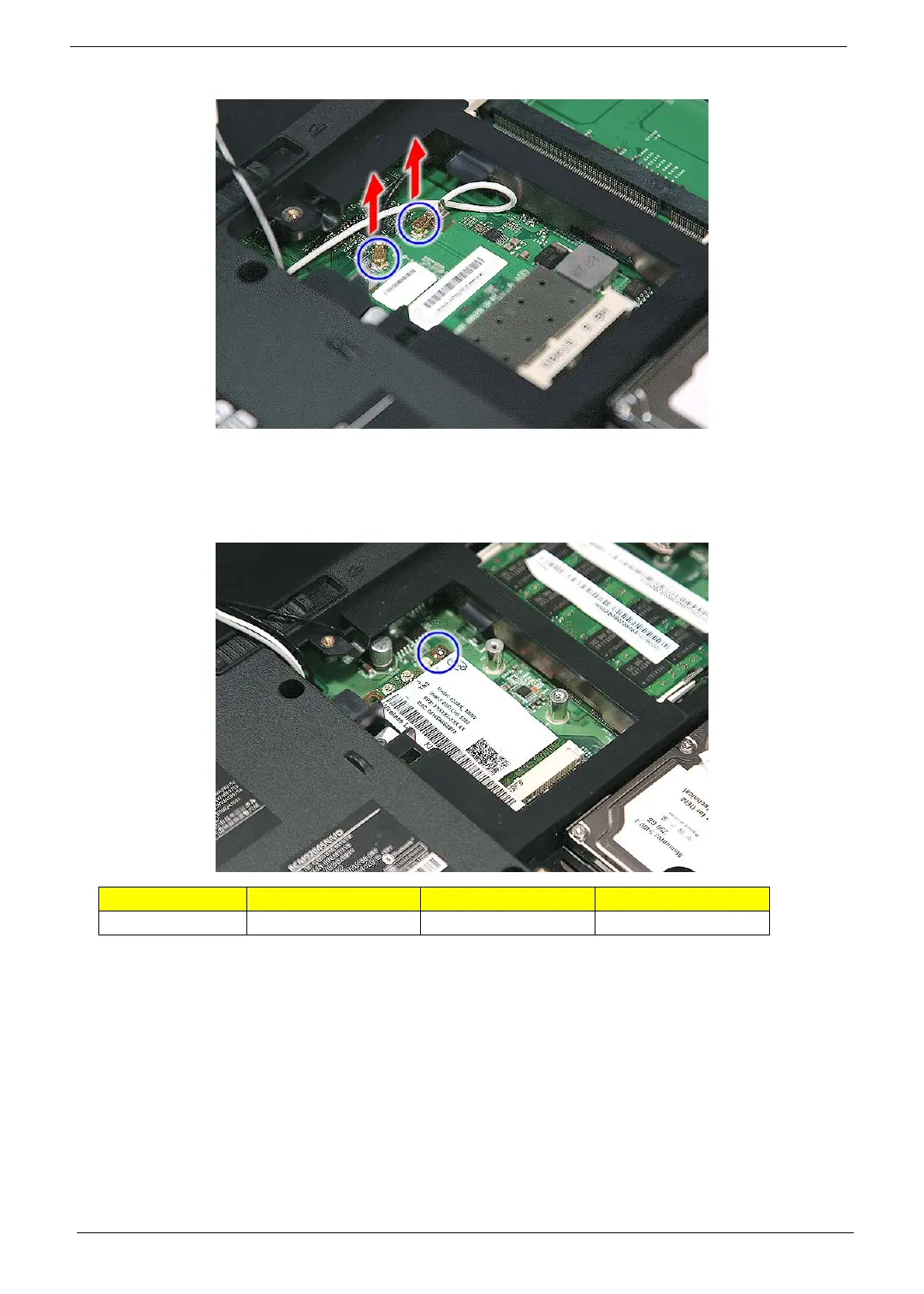
NOTE: There are 2 antenna cables connected to the WLAN board module. The Black antenna cable is
connected to the J3 connector and the White antenna cable is connected to the J2 connector.
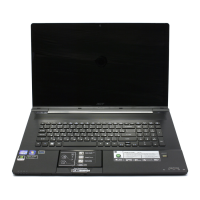
6. For Aspire 8730/8730Z Series, move the antenna away from the WLAN board and remove the one screw
(B) on the WLAN board to release the WLAN board.
Step Size (Quantity) Color Torque
1 M2 x L4 (1) Silver 1.6 kgf-cm



 To Next Page