Acer Service Manual
Defect Type Specification Size Count (N)
Majo
Minor
Dot Shape(Particle、Scratch
and Bubbles in Display area
or on The Polarizer)
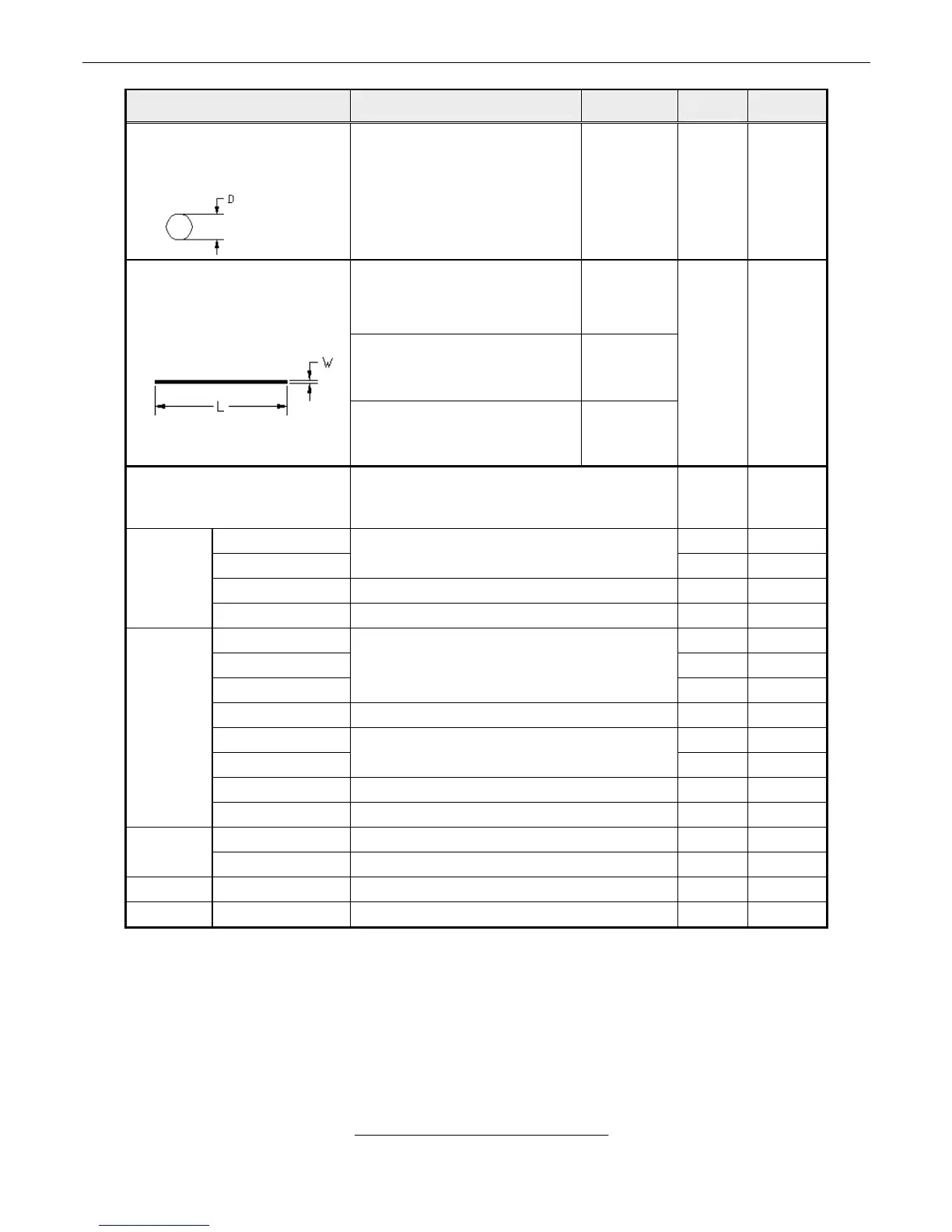
Black spots which appear
when B/L operating
0.15mm ≤ D ≤ 0. 5 mm
N ≤ 3
●
L ≤ 0.5mm and W ≤ 0.05 mm Ignored
0.5mm < L ≤ 5mm and
0.05mm < W ≤ 0.1mm
N ≤4
Line Shape
(Particles、Scratch、Fiber and
Bubbles in display area or on
The Polarizer)
L > 5mm or W > 0.1mm N = 0
●
Display non-uniformity
There should be non-uniformity through
5% transparency of filter or judge by limit
sample if necessary.
●
Scratch ●
Dirt
No harm
●
Wrap No harm ●
Bezel
Sunken No harm ●
No label ●
Invert label ●
Broken
No
●
Dirt Word can be read. ●
Not clear ●
Word out of
●
Mistake No ●
Label
Position Be attached on right position ●
Not enough No ●
Screw
Limp No ●
Connecto Connection
No bend on pins and damage ●
FPC/FFC Broken No ●
5. PICTURE CHECK
5.1 Check brightness uniformity
5.1.1 Test mode: 1680x1050 @ 60 Hz
5.1.2 Test pattern: pattern #41 of “WHITE”
5.1.3 Test tool: Color Analyzer Chroma7120
5.1.4 Set brightness and contrast to be maximum, apply pattern as Fig.3, it should be the following
requirement:
%≥ 75
)(backlight points nine of luminance Max.
)(backlight points nine of luminance Min.
17



 To Next Page