EasyManua.ls Logo

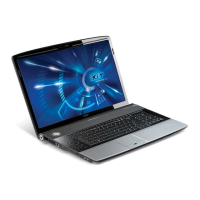
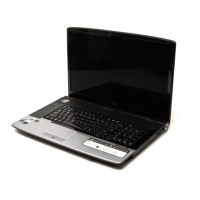
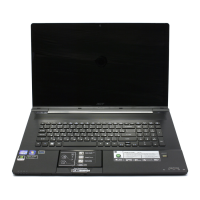
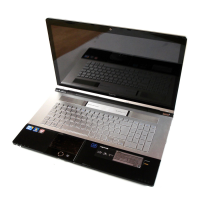
Acer Aspire 8935G - User Manual

Acer Aspire 8935G
320 pages
Print Icon
To Next Page IconTo Next Page
Loading...
Acer Aspire 8935G
Service Guide
PRINTED IN TAIWAN
Service guide files and updates are available
on the ACER/CSD web; for more information,
please refer to http://csd.acer.com.tw

Table of Contents

Questions and Answers

  • U
    urogersJul 26, 2025
    What to do if my Acer Laptop shuts down intermittently?
    • L
      Leslie BerryJul 26, 2025
      To troubleshoot intermittent shutdowns of your Acer laptop, ensure the power cable is properly connected to both the laptop and the electrical outlet. Try removing any extension cables or surge protectors, plugging the laptop directly into a known good outlet. Also, disconnect the power and open the casing to check that the thermal unit and fan airways are free of obstructions. Remove any external and non-essential hardware, and uninstall any recently installed software.
  • N
    nmillerJul 31, 2025
    Why is my Acer Aspire 8935G video display abnormal?
    • J
      John SanchezJul 31, 2025
      If your Acer laptop displays an abnormal video output, start by rebooting the computer. If permanent lines or dark spots are present, the LCD may be faulty and require replacement. Try adjusting the brightness to its highest level. If you recently updated your video driver, roll it back to the previous version, or try removing and reinstalling the video driver.
  • A
    arthurgayAug 7, 2025
    How to fix no display issue on Acer Laptop?
    • J
      Jeffrey HallAug 7, 2025
      If your Acer laptop is showing no display, try replacing the LCD module. Ensure that the internal display is selected. Drain any stored power by removing the power cable and battery, then hold the power button for 10 seconds. Reseat the memory modules.
  • D
    Daniel EvansAug 13, 2025
    What to do if HDD is not operating correctly in Acer Aspire 8935G?
    • J
      Julia LozanoAug 13, 2025
      If your Acer laptop's HDD is not operating correctly, begin by disconnecting all external devices. Run a complete virus scan using up-to-date software. You can also run the Windows Vista Startup Repair Utility. Alternatively, restart the computer and press F2 to enter the BIOS Utility.
  • N
    Nicholas ChavezAug 19, 2025
    Why does my Acer Aspire 8935G Laptop have random loss of BIOS settings?
    • T
      tinadicksonAug 19, 2025
      If your Acer laptop is experiencing random loss of BIOS settings, consider replacing the CMOS battery. Run a complete virus scan using up-to-date software. Disconnect and reconnect the power and data cables between devices, and if necessary, replace the cables. As a last resort, the motherboard might need replacement.

Summary

Acer Aspire 8935 G Service Guide

System Specifications

Acer Notebook Tour

Hardware Specifications

System Utilities and BIOS Management

BIOS Update and Password Utilities

Procedures for BIOS flashing and removing HDD/BIOS passwords.

Machine Disassembly and Replacement

Main Unit Component Removal

Procedures for removing internal components like keyboard, switch cover, power board, and mainboard.

LCD Module Disassembly and Reassembly

Steps for disassembling and reassembling LCD modules, including bezels and panels.

Main Module Reassembly

Procedures for reassembling core components like CPU, graphics card, and thermal module.

Troubleshooting Common Problems

Power and Display Issues

Troubleshooting for power-on issues, no display, and abnormal video.

Component and System Stability Issues

Resolving issues related to BIOS settings, keyboard, touchpad, HDD, USB, and intermittent failures.

Technical Reference and Appendices

Acer Aspire 8935G Specifications

General IconGeneral
Bus typeFSB
SteppingM0
Tjunction90 °C
Processor cache3 MB
Processor cores2
Processor modelP7450
System bus rate- GT/s
Processor familyIntel® Core™2 Duo
Processor seriesIntel Core 2 Duo P7000 Series
Processor socketSocket 478
Processor codenamePenryn
Processing Die size107 mm²
Processor frequency2.13 GHz
Processor cache typeL2
Processor lithography45 nm
Processor manufacturerIntel
Processor front side bus1066 MHz
Processor operating modes64-bit
ECC supported by processorNo
Thermal Design Power (TDP)25 W
CPU multiplier (bus/core ratio)7.5
Number of Processing Die Transistors410 M
Motherboard chipsetIntel® GM45 Express
HDD speed5400 RPM
HDD interfaceSATA
Optical drive typeDVD Super Multi DL
Card reader integratedYes
Total storage capacity500 GB
Compatible memory cardsMemory Stick (MS), MMC, MS PRO, SD, xD
Number of HDDs installed1
Display diagonal18.4 \
Display brightness220 cd/m²
Native aspect ratio16:9
Display response rise/fall8 ms
TypePC
Wireless technologyWi-Fi
Graphics card family-
Memory slots2x SO-DIMM
Internal memory4 GB
Internal memory typeDDR3-SDRAM
Audio systemHD
Cabling technology10/100/1000Base-T(X)
Networking featuresGigabit Ethernet, WLAN
Trial softwareMcAfee Internet Security Suite, Microsoft Works 9.0 + Office 2007
Bundled softwareAcer Arcade Deluxe + Cinema, Album, Music, Acer HomeMedia, Acer InstantOn Arcade, Acer Bio-Protection, Acer Crystal Eye, Acer GridVista, Acer Launch Manager, Acer Backup Manager, Acer PowerSmart Manager, Acer eRecovery Management, Acer GameZone, Acer Video Conference Manager, Adobe Reader, NTI Media Maker, Microsoft Windows Live Essentials
Operating system installedWindows 7 Home Premium
Charging port typeDC-in jack
Serial ports quantity0
USB 2.0 ports quantity3
Cable lock slot typeKensington
Product colorBlack, Silver
AC adapter power120 W
Battery performance71 W
Pointing deviceTouchpad
Battery capacity4800 mAh
Processor ARK ID36734
Weight and Dimensions IconWeight and Dimensions
Depth295 mm
Width440 mm
Weight4600 g
Height (rear)43.8 mm
Height (front)31 mm

Related product manuals