Your Acer Chromebook tour - 9
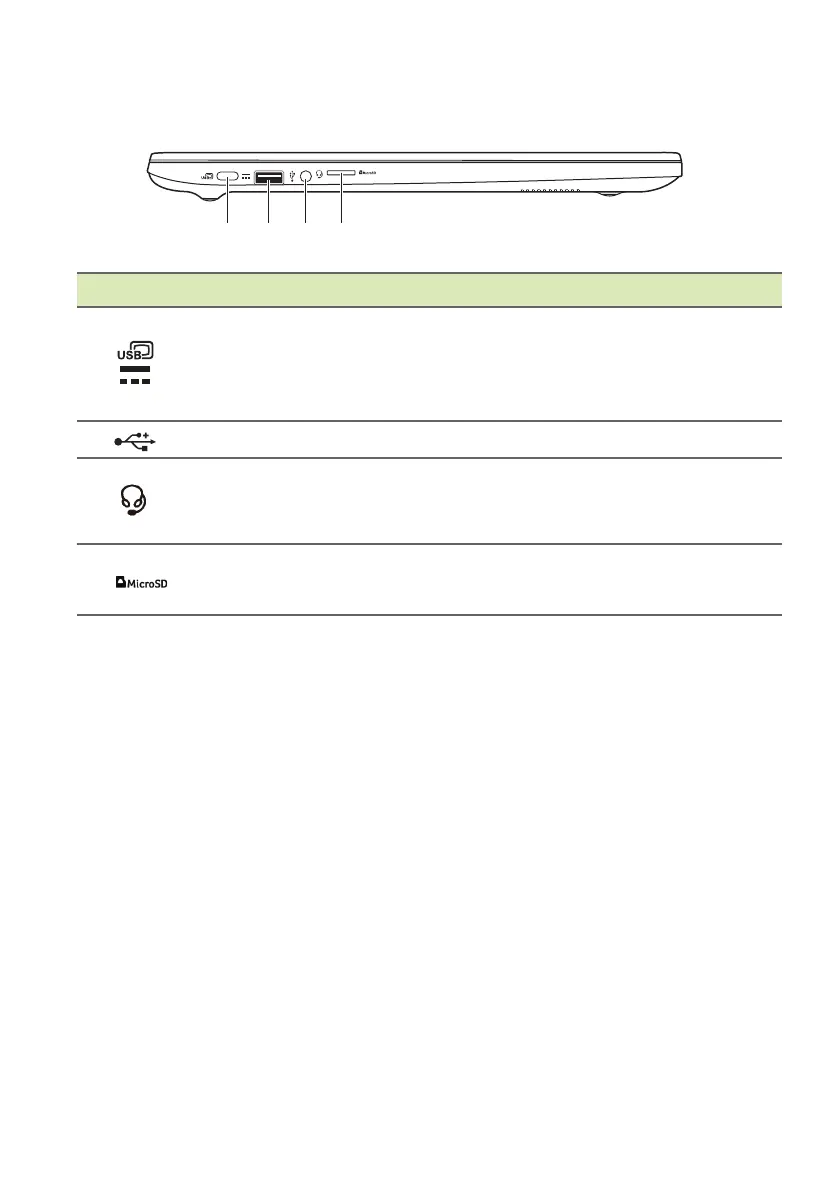
Left view
# Icon Item Description
1
USB Type-C port with
DC-in
Connects to the provided USB Type-C
power ad
apter and to USB devices
with a USB Type-C connector.
Supports DisplayPort
™
over USB-C
™
.
2
USB port Connects to USB devices.
3
Headset / speaker
jack
Connects to audio devices
(e.g., speakers, headphones), or a
headset wit
h microphone.
4
MicroSD card slot Insert a microSD card into this slot.


 To Next Page