English
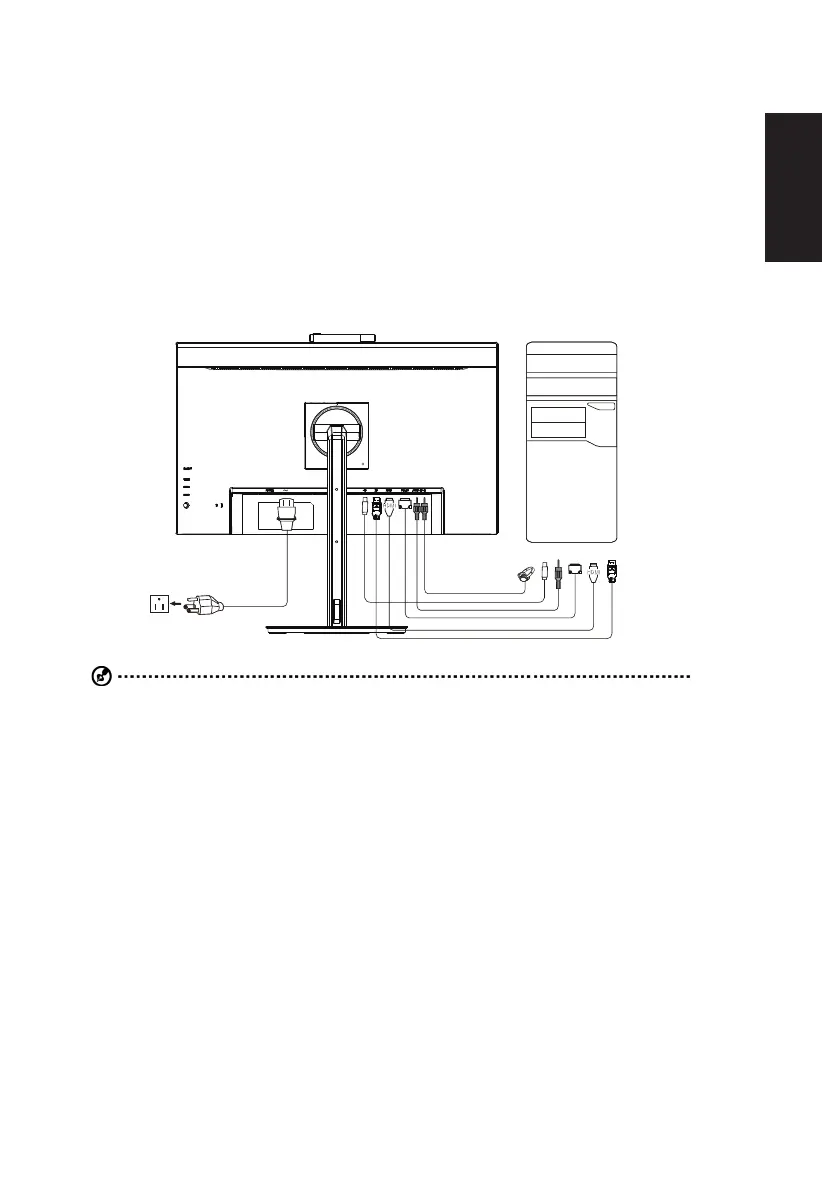
Installation
2.
tighten the thumbscrews on the signal cable connector.
3.
4.
the audio cable.
Insert the monitor power cable into the power port at the back of the monitor.
6. Connect the power adapter and power cord to the monitor, then to a properly grounded AC outlet.
Visit Acer Support website to download IR webcam driver:
https://www.acer.com/worldwide/support/
USB
USB
VGA
VGA
Note: Audio output is only for audio output model. Please check user manual for more instruction.
*For the installation of replaceable parts, please refer to the above installation instructions.
For local service centers and service contacts, please refer to https://www.acer.com/ac/en/US/content/support.
*IR webcam feature depends on model, sku and/or region.


 To Next Page