English
User Controls
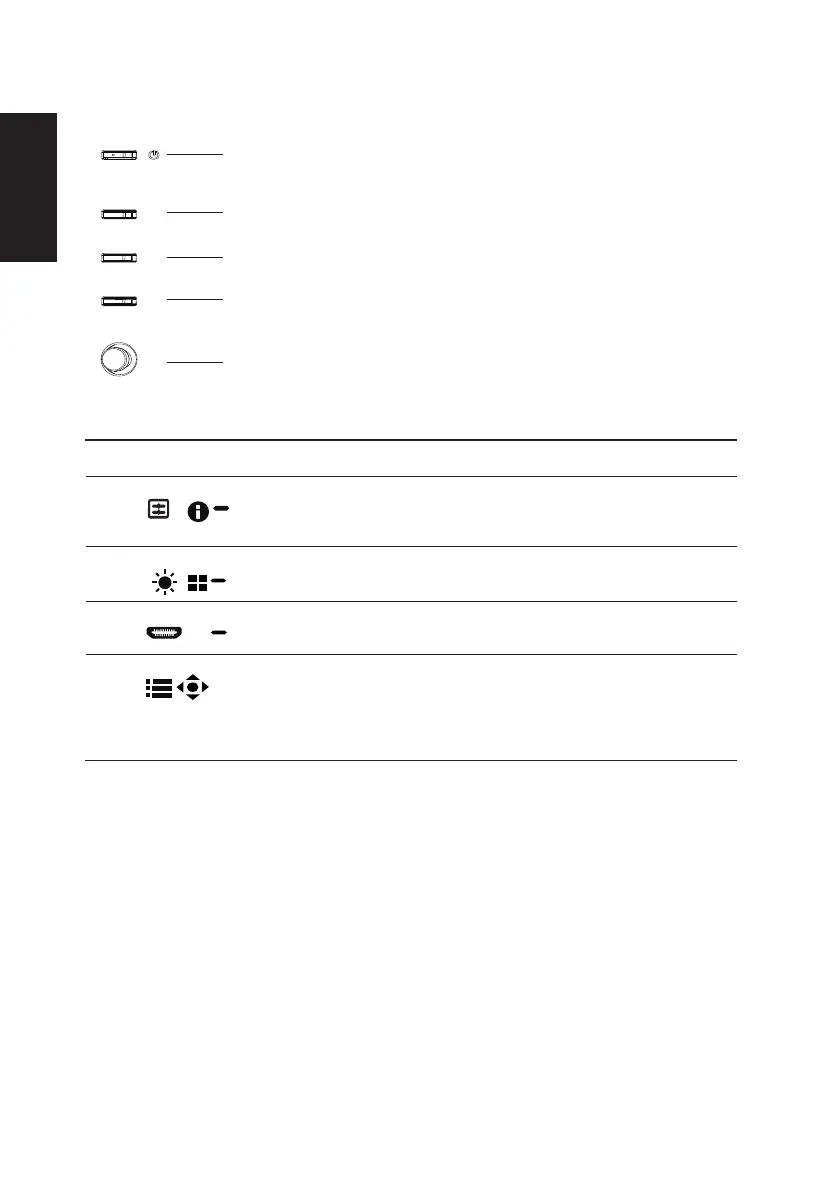
External controls
Power button
standby/ power saving mode.
2 Function key
/
a.
b. When the Function Menu is active, press this key to view the basic
information for your monitor and current input or reset the custom
color settings to the factory defaults.
3 Function key
/
a. Press to view Main page.Press again to enter hotkey2 function.
b. When the Function Menu is active, press this button to select
select scenario mode or game mode .
4 Function key
/
a. Press to view Main page.Press again to enter Input select
function.
b. When the Function Menu is active, this button will quit the OSD.
Function key
/
a. Press to view
Main page
.Press again to enter next function in
the Function Menu.
b. The single toggle button on the backside of the Display bezel
operates like a joystick. To move the cursor, simply toggle the
button in four directions. Press the button to select desired option.
Bright gray indicates operable. Dark gray indicates inoperable.
AMD FreeSync (HDMI/DP):
It can allow a AMD FreeSync supported graphics source to dynamically adjust display refresh rate based on typical content


 To Next Page