English
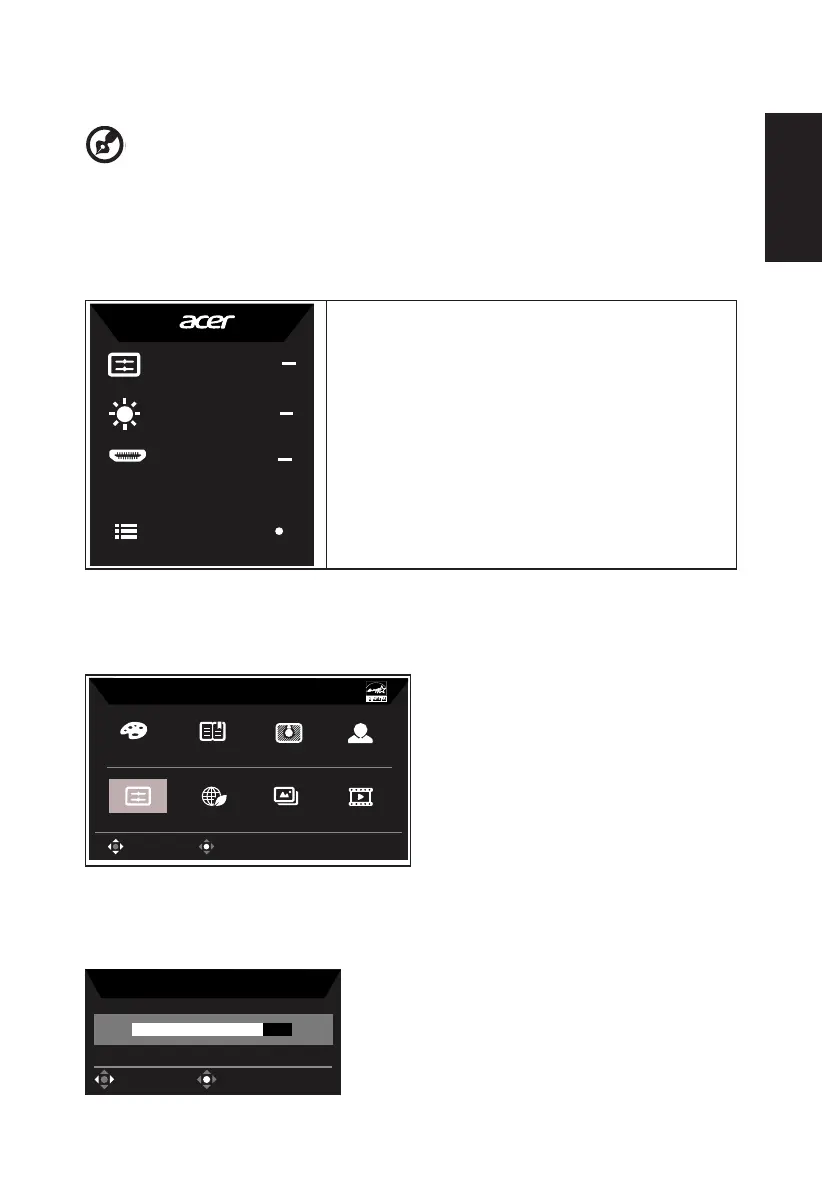
Using the Shortcut Menu
-------------------------------------------------------------------------------------------------------------
Note:
may vary.
position and general settings. For advanced settings, please refer to following page:
Main page
Mode
Standard
Brightness
70
Input
HDMI
Menu
Contrast, Low Blue Light, Over Drive
2.
Gamma, Low Blue Light, Over Drive
3.
4. Main Menu
Hot key1 (default: Standard mode)
sRGB
Reading
Darkroom
User
Movie
Graphics
ECO
Standard
Modes
OK
Move
Hot key2 (default: Brightness)
Open the Brightness control and select your preferred brightness setting . When you are
done, press the joystick to quit current page and store.
Brightness
70
OK
Adjust


 To Next Page