EN-7
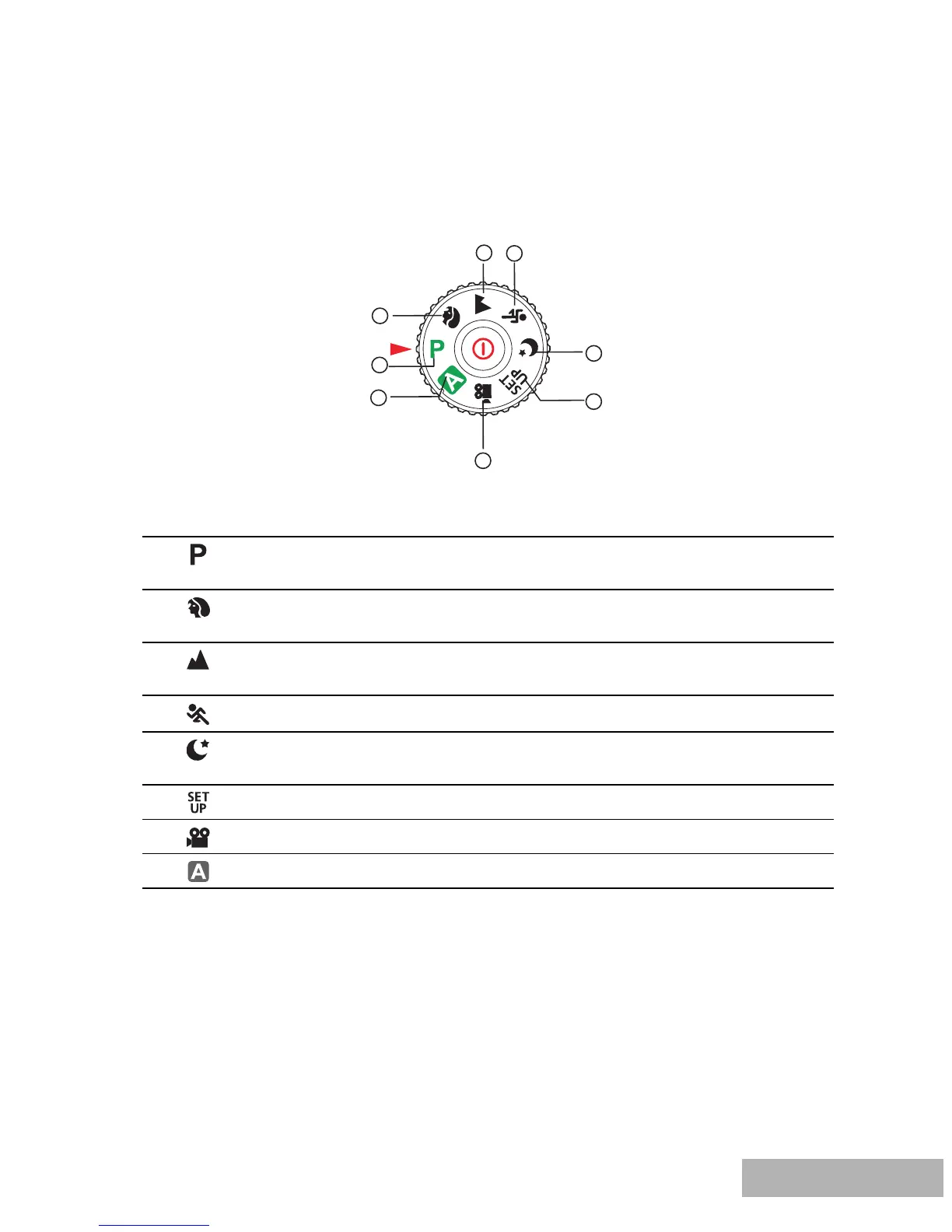
Mode Dial
You can select from seven shooting modes and setup mode according to shooting
conditions to achieve the desired effect.
Mode Description
1. Program Select this mode to permit the shutter speed and
aperture to be set manually.
2.
Portrait Select this mode to make people stand out with the
background out-of-focus.
3.
Landscape Select this mode to take phototgraphs of distant scenery
or landscapes.
4.
Sports Select this mode to shoot fast moving objects.
5.
Night Select this mode to take phototgraphs of people against
a dusk or night-time background.
6.
Setup Select this mode to adjust the camera settings.
7.
Video Select this mode to record video clips.
8.
Auto Select this mode to adjust point-and-shoot action.
8
1
2
5
6
4
3
7



 To Next Page