EasyManua.ls Logo

Acer CE-5430 - Menu Options; Camera Menu

Acer CE-5430
57 pages
Print Icon
To Next Page IconTo Next Page
To Previous Page IconTo Previous Page
Loading...
EN-44
MENU OPTIONS
Camera Menu
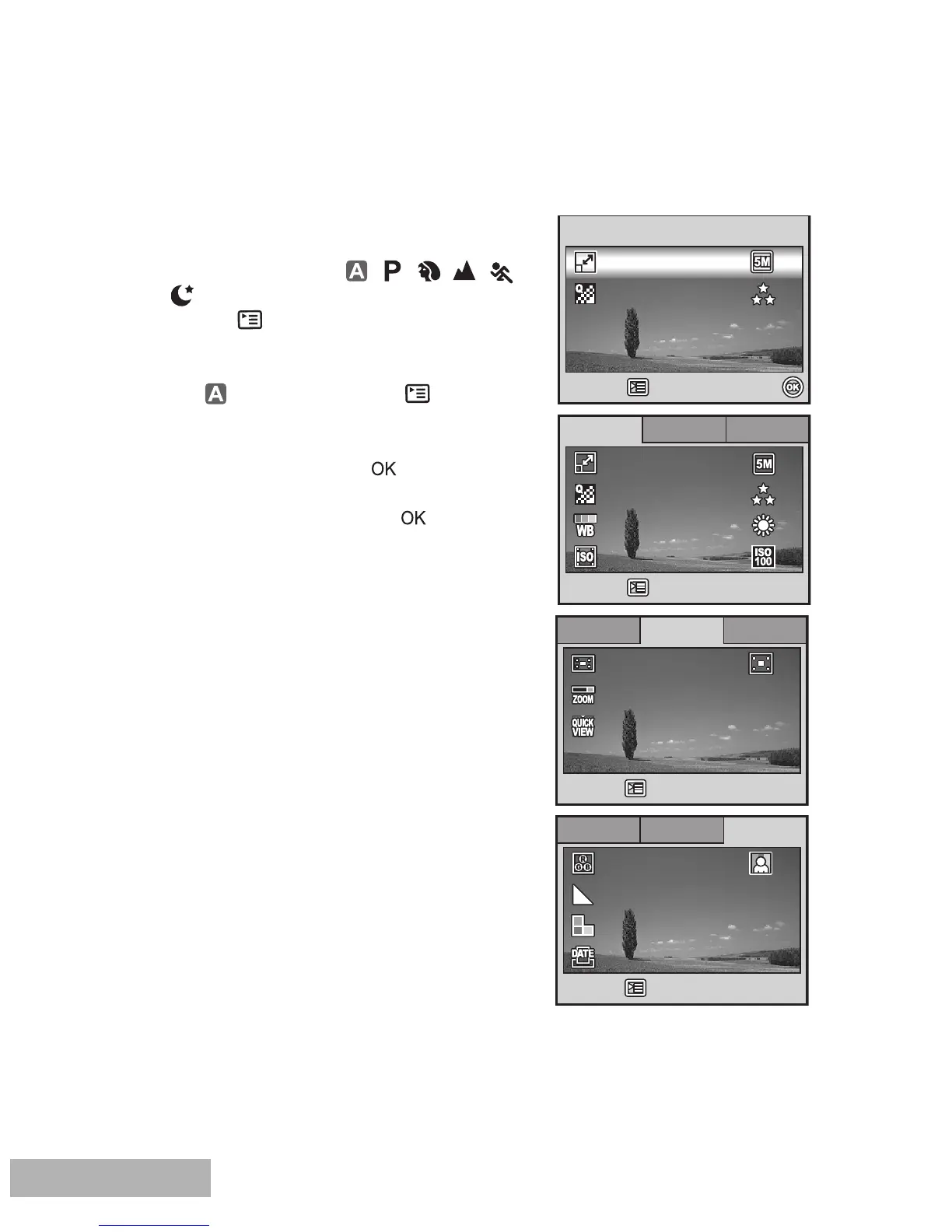
This menu is for the basic settings to be used
when capturing still images.
1. Rotate the mode dial to , , , , ,
or and turn your camera on.
2. Press the button, then use the four-way
controller to select the [Capture] / [Function] /
[Image] menu.
In Mode, press the button to
access the [Auto] menu directly.
3. Use the four-way controller to select the
option item, then press the button.
4. Press the four-way controller to select the
desired setting, then press the button.

Ca
ptu
pture
Capture Function
Function
Function Im
Image
Image
Off
R
etu
etur
n
n :
On
On
Return :
Digital Zoom
Digital Zoom
Metering
Metering
Qui
Quic
k
k V
ie
iew
Off
OnDigital Zoom
Metering
Quick View
Ca
ptu
pture
Capture Function
Function
Im
Image
ImageFunction
R
etu
etur
n
n :
Return :
Da
te Imprin
te Imprint
Sha
Shar
pnes
pness
Color
Color
Sa
tu
tura
tio
tion
Off
Off
Medium
Medium
Medium
Medium
Date Imprint
Sharpness
Color
Saturation Medium
Medium
Select :
Select :
Select :
A
ut
uto
Auto
Quality
Quality
Im
Ima
ge Si
ge Size
Image Size
R
etu
etur
n
n :
Quality
Return :
Ca
ptu
pture
Capture Function
Function
Im
Image
Function Image
ISO
ISO
Quality
Quality
Im
Ima
ge Si
ge Size
W
. Balanc
. Balance
R
etu
etur
n
n :
ISO
Quality
Image Size
W. Balance
Return :

Table of Contents