Digital Camera >>
4-E
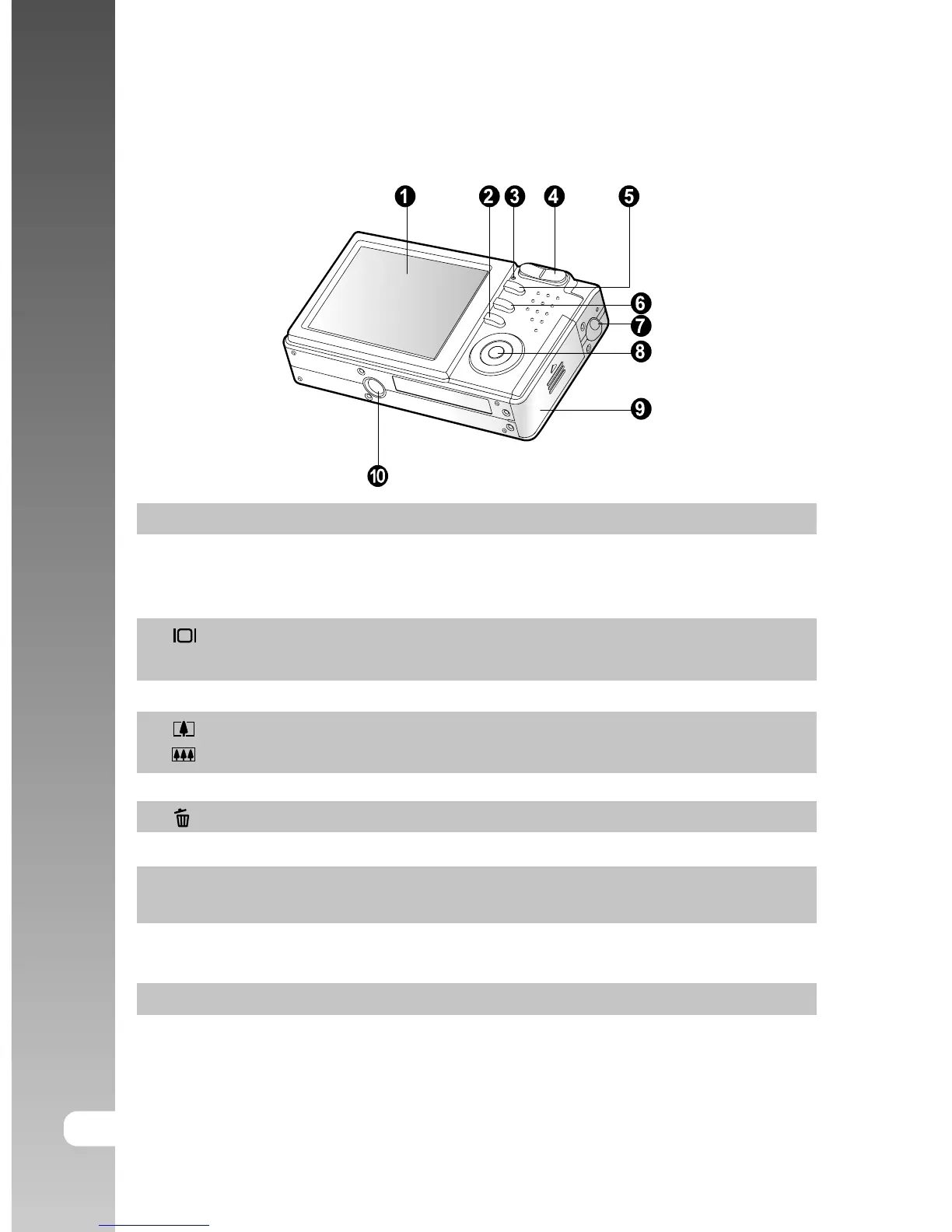
Rear View
# Name Description
1. LCD monitor Provides menu information to operate the camera,
and previews the picture before taking it and review
it afterwards.
2. Display button Turns the LCD monitor display and live view on
and off.
3. Status LED Displays the camera current state.
4. Zoom in button Zooms the lens to telephoto position.
Zoom out button Zooms the lens to wide-angle position.
5. MENU button Toggles OSD menu on and off.
6. Erase button Allows you to erase the picture.
7. Strap holder Camera strap attachment.
8. SET /Direction button Allows you to scroll through menus and pictures,
and then select choices.
9. Battery/SD card cover Allows access to the battery and insert or remove
the memory card.
10. Tripod socket Allows tripod mounting.



 To Next Page