User’s Manual >>
E-9
Inserting and Removing the Battery (Optional
Accessory)
We highly recommend using specified rechargeable lithium-ion battery (3.7V)
to fully demonstrate this camera’s function. Charge the battery before using the
camera. Make sure that the power of the camera is off before inserting or
removing the battery.
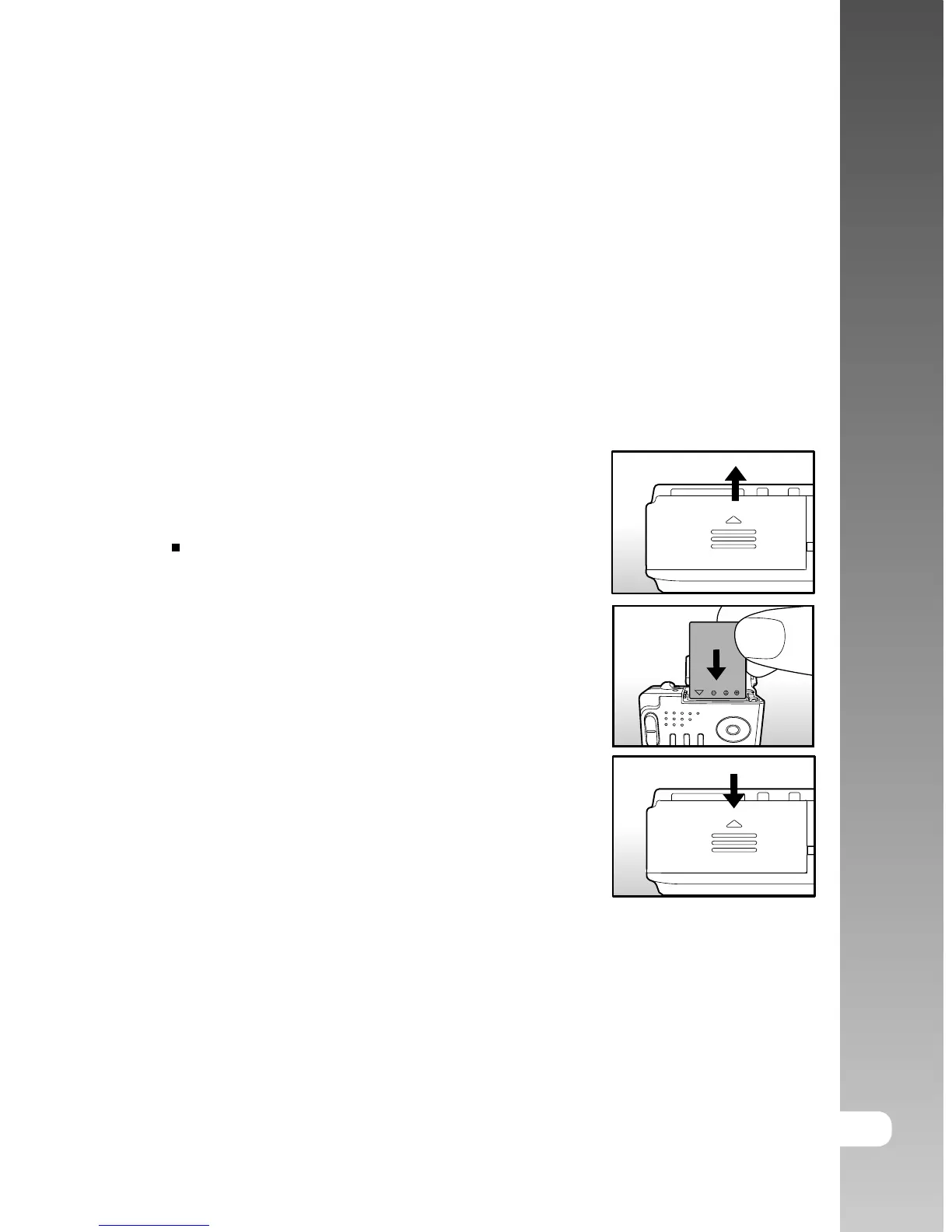
Inserting the Battery
1. Open the battery/SD card cover.
2. Insert the battery in the correct orientation
shown.
Tilt the battery lock lever in the direction
of the arrow and orient the battery so that
its label is facing to the rear side of the
camera, and then insert the battery.
3. Close the battery/SD card cover.
Removing the Battery
Open the battery/SD card cover and then release the battery lock lever. When
the battery has come out a little, slowly pull it out the rest of the way.
GETTING STARTED



 To Next Page