Digital Camera >>
40-E
MENU OPTIONS
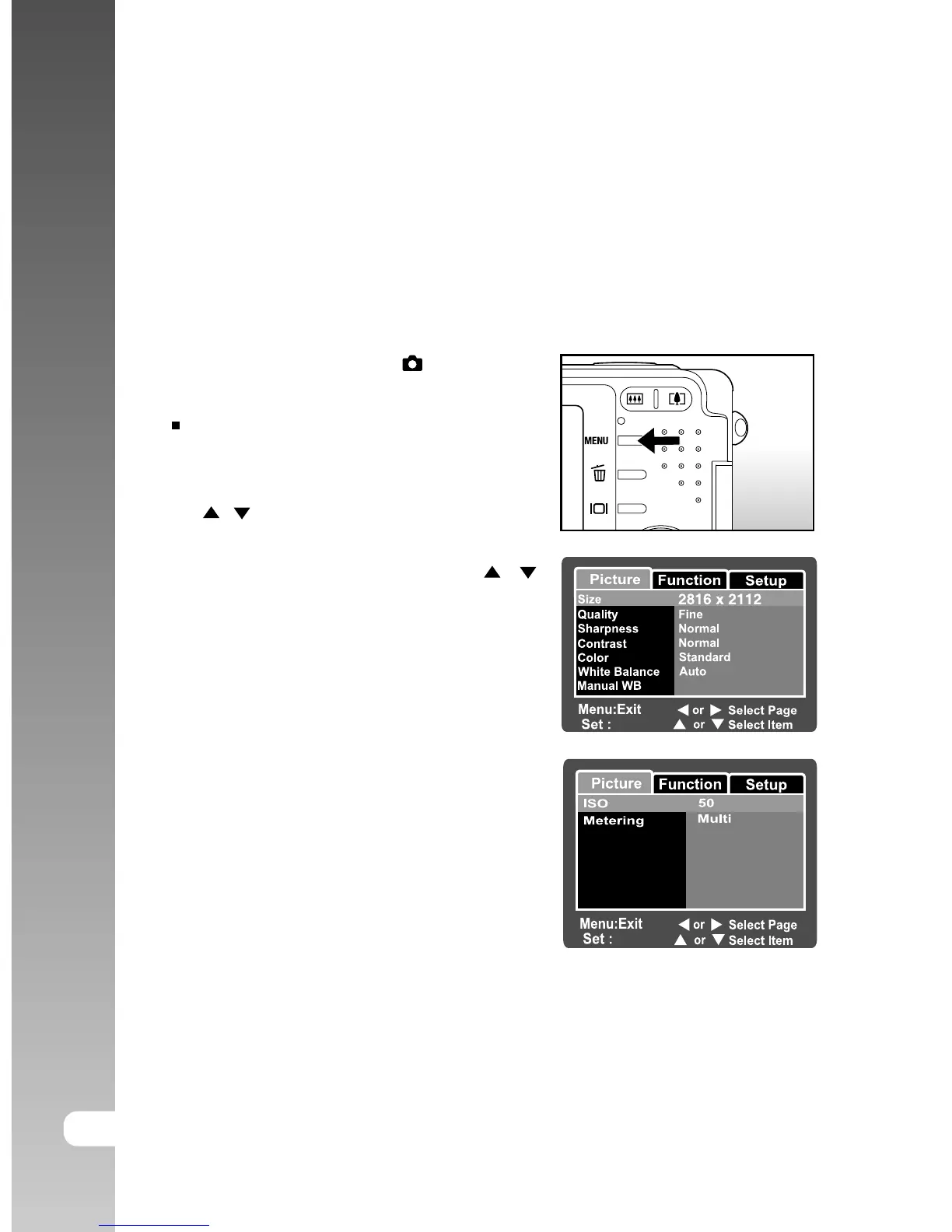
Still Image Menu (Picture)
This menu is for the basic settings to be used when taking still images.
1. Slide the mode switch to [
].
2. Press the MENU button.
[Picture] of the still image menu is
displayed.
3. Select the desired [Picture] option item with
the / buttons, and press the SET button
to enter its respective menu.
4. Select the desired setting with the /
buttons, and press the SET button.
5. To exit from the still image menu, press the
MENU button.



 To Next Page