5
Installation
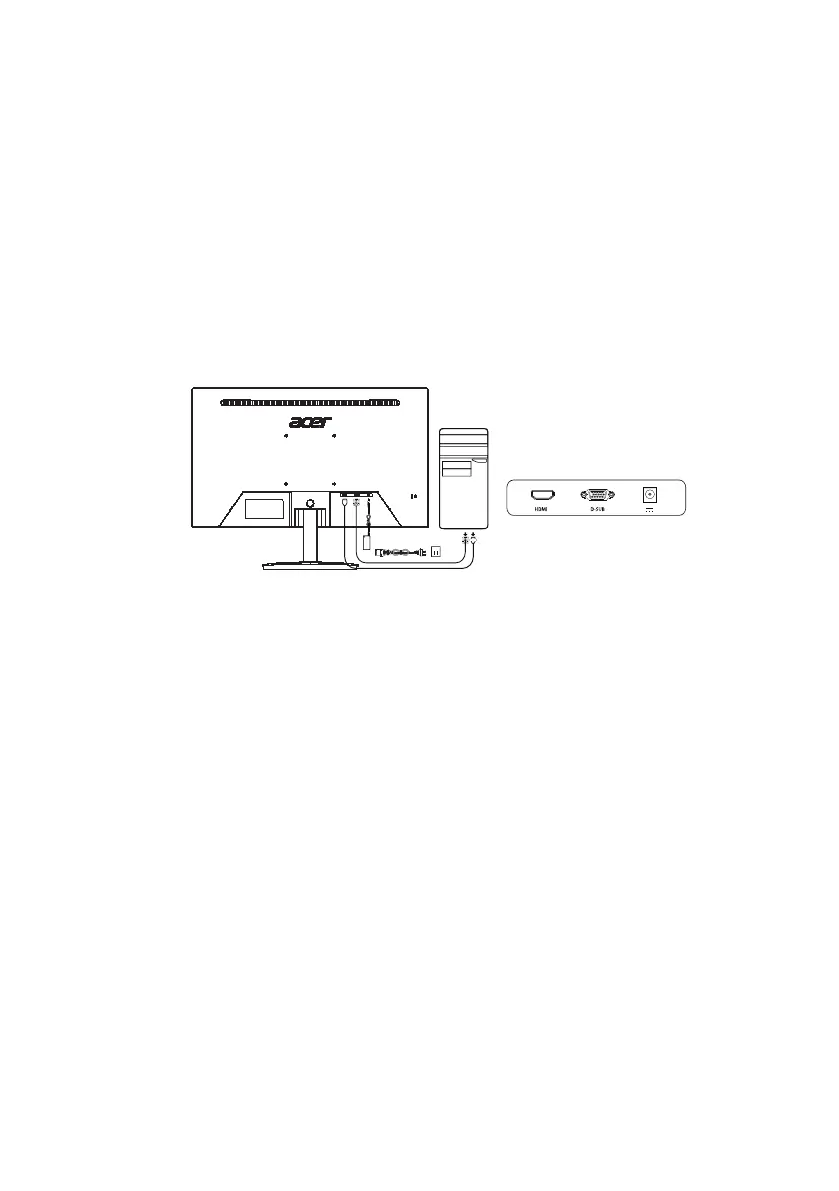
To install the monitor on your host system, please follow the steps below:
Steps
Connect the monitor to your computer
1. Turn off the computer power and unplug the computer power cord.
2. Connect one end of the signal cable to the VGA/HDMI input jack on your monitor and
the other end to the VGA/HDMI input jack on your computer's graphics card. Tighten
the finger screws on the signal cable (VGA) connector.
3. Plug the adapter power cord into the power port on the back of the monitor.
4. Plug the computer power cord and monitor adapter into a nearby power outlet.



 To Next Page