11
English
7. SRGB: default is off. You can turn sRGB on or off for better color matching
with peripherals (eg.Printers and digital cameras)
8. Grayscale Mode: Turn grayscale mode On or Off. The default is off.
9. 6-axis Hue: Adjust the red, green, blue, yellow, magenta and cyan hue.
10. 6-axis Saturate: Adjust the red, green, blue, yellow, magenta and cyan saturation.
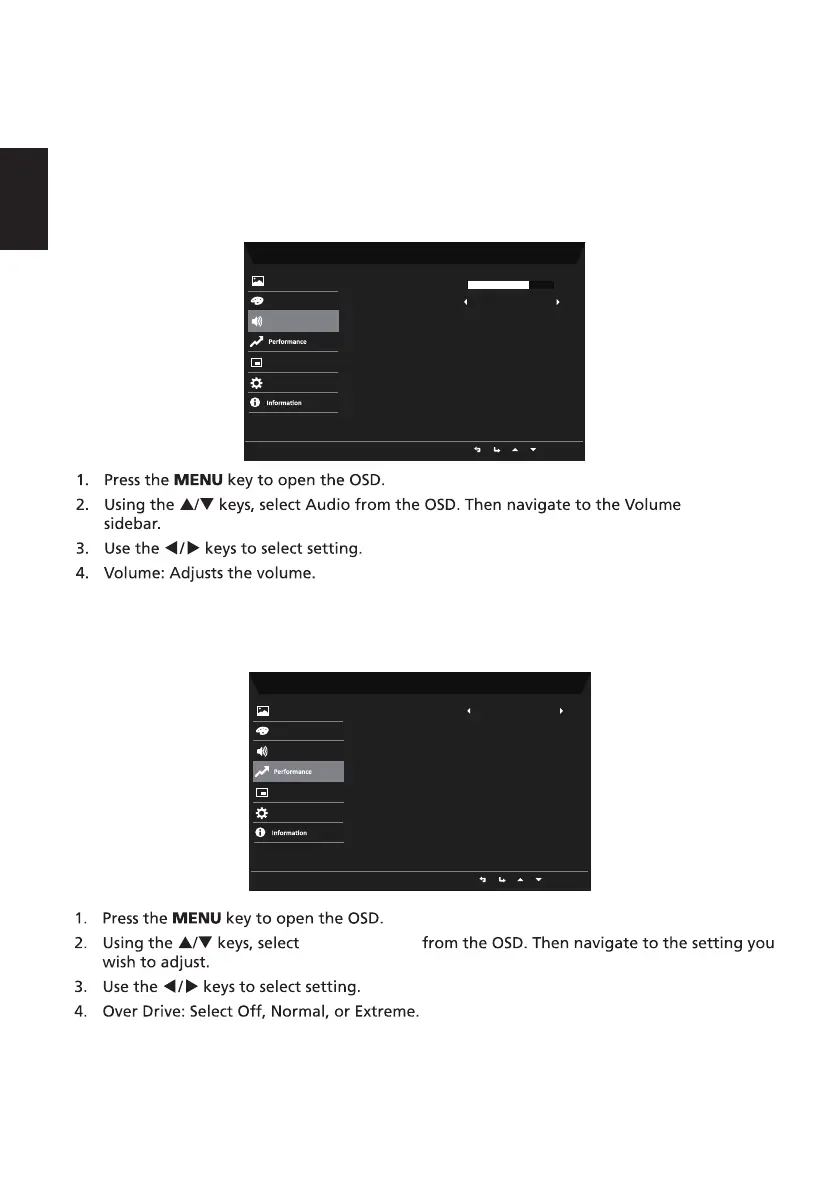
5. Mute: Select On or Off.
Audio
Performance
Performance
Mode - Standard
Pictu
OffMute
re
Color
Audio
OSD
System
Volume
70
Mode - Standard
Picture
Color
NormalOver Drive
Audio
OSD
System


 To Next Page
 Loading...