ht
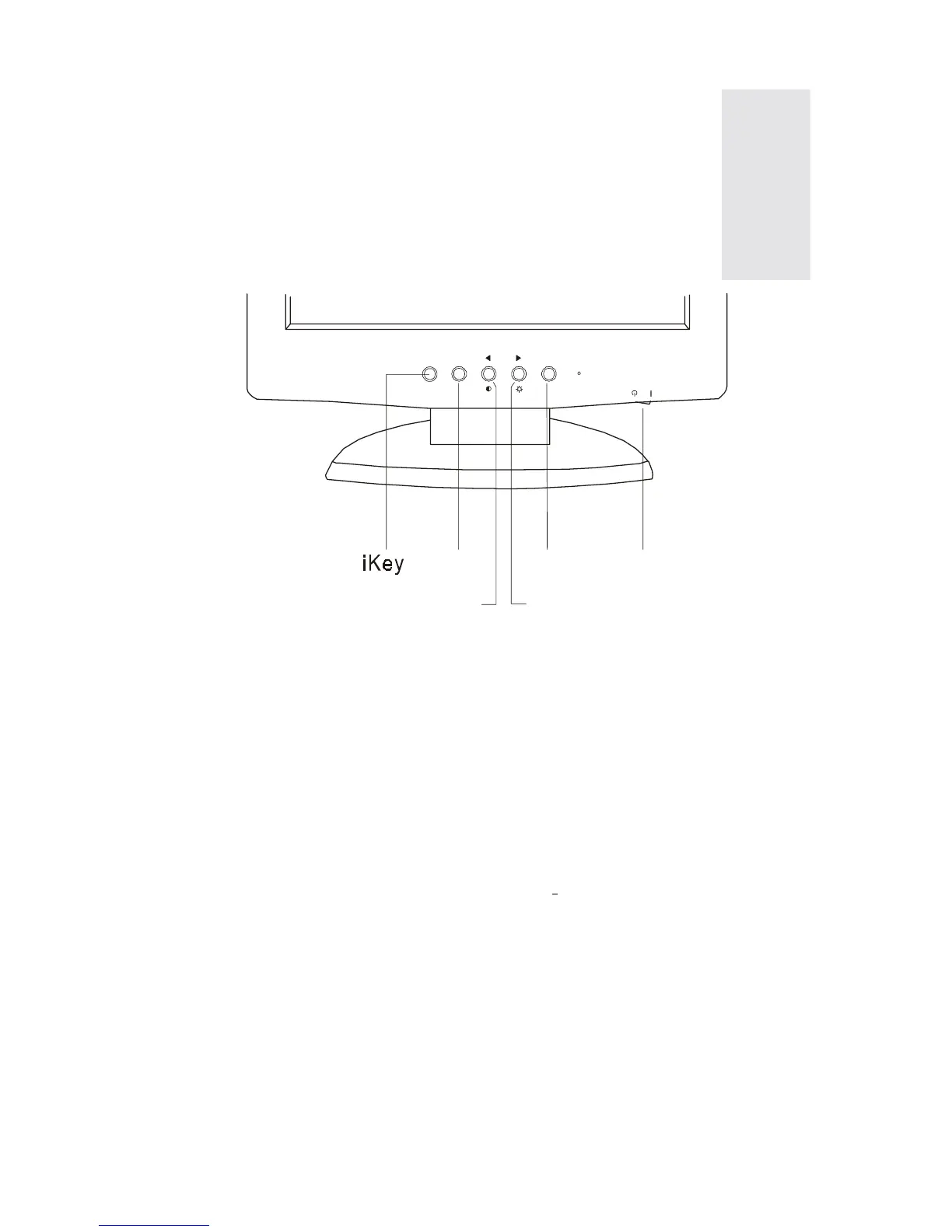
Power
There are 6 keys for user’s control which includes “Power“, “iKey“, “Exit“,
“Enter“ and “Left/Right key“. The following descriptions are the introduction
of these keys.
1. “Power“: Turn the power on or off.
2. “iKey“: Adjust vertical position, phase, horizontal position and pixel clock
automatically.
3.
“Exit“ key: Back to previous menu or exit OSD.
4. “Enter“ key: Enter sub-menu; select items.
5. “Left/Right key“: Left/Right adjustment. Hot key for Brightness/Contrast
adjustment.
3



 To Next Page