4 - Setting up
SETTING UP
Unpack your Liquid Leap
Your new smartphone accessory comes packed in a protective box.
Carefully unpack the box and remove the contents. If any of the
following items is missing or damaged, contact your dealer
immediately:
• Your new Acer Liquid Leap
• Charging cradle
•Quick Guide
• Safety leaflet
• Warranty card
• USB cable
Charge the battery
For initial use, you need to charge your Leap fully. It takes
approximately four hours to fully charge the Leap. Once it has
charged for the first time, you can charge it as necessary.
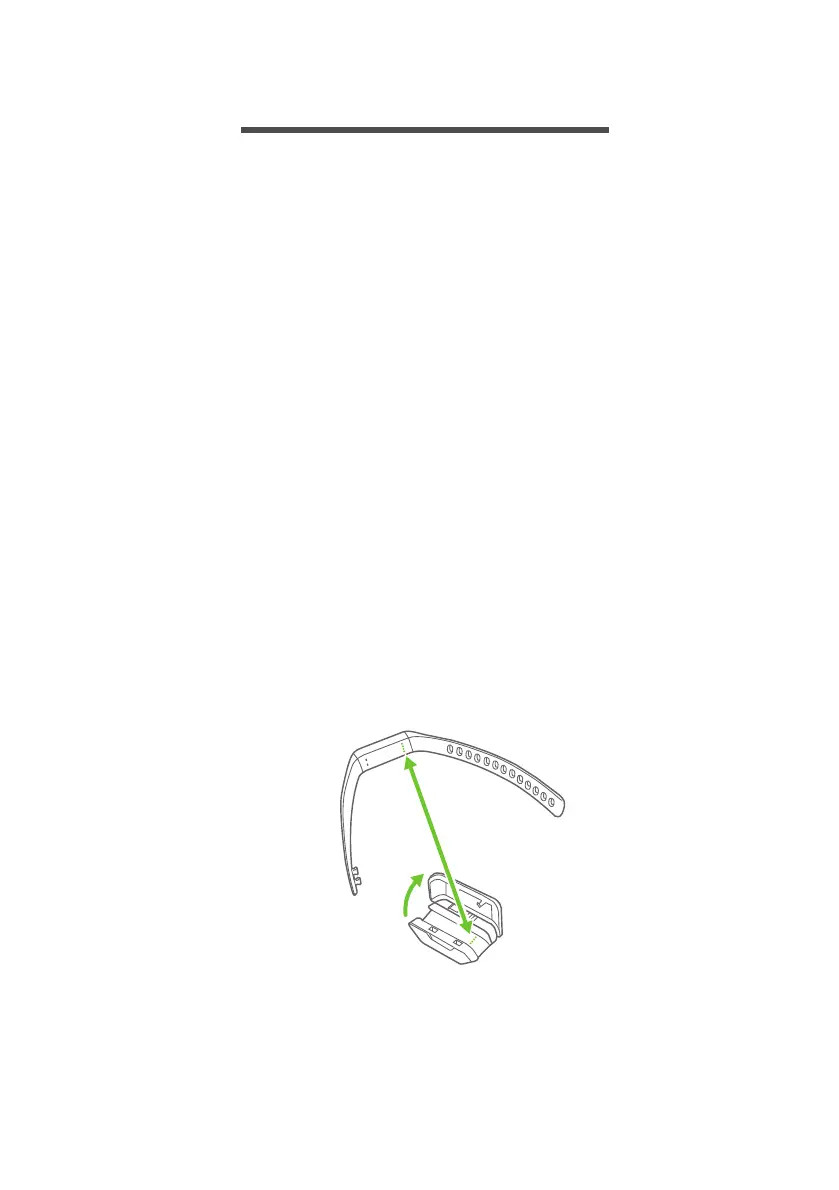
1. Open the charging cradle and place the Leap into the cradle, lining
up the charging connectors.



 To Next Page
 Loading...