Setting up - 7
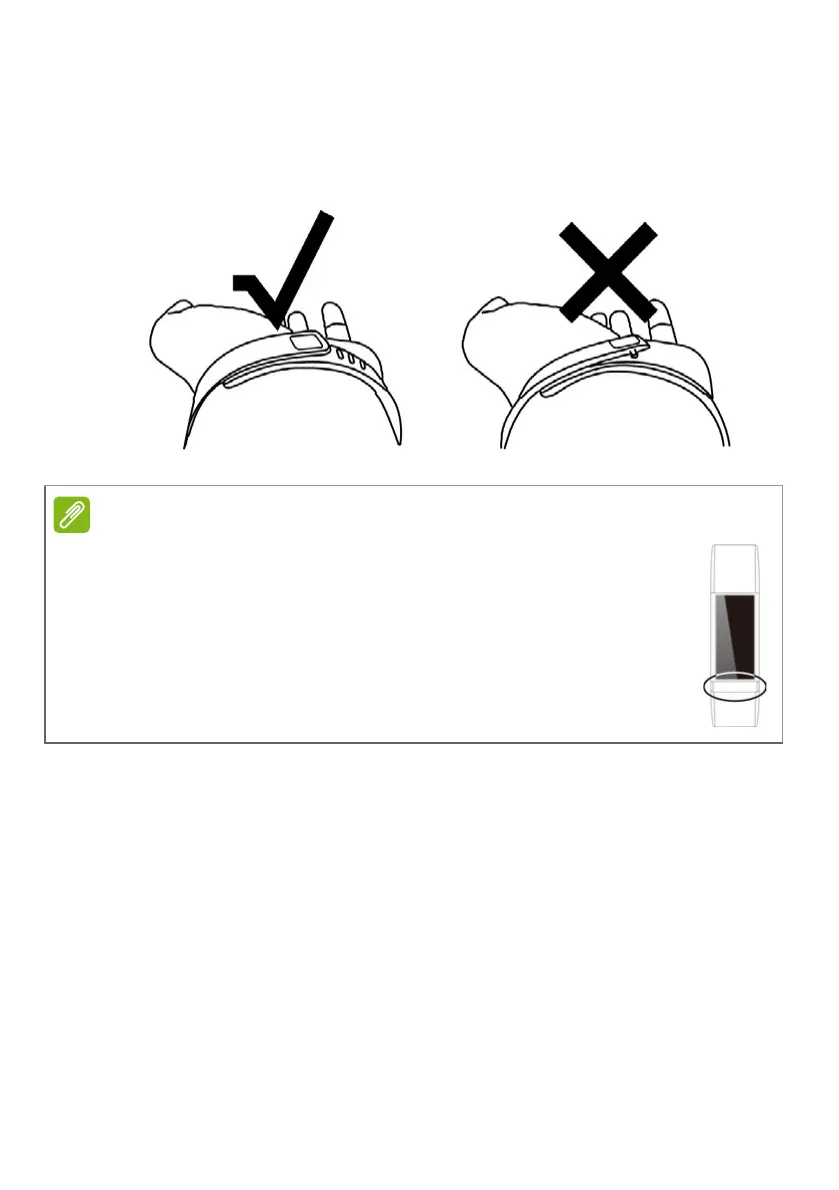
3. Squeeze both the clasp and the wristband between your thumb and
forefinger until the wristband is properly secured.
You’ll know your Leap wristband is securely fastened if both tabs on
the clasp are fully inserted into the wristband.
Care and wearing tips
Keep the following tips in mind when caring for your Leap:
• Clean and dry the device regularly, particularly under the band.
• Wear it loosely enough to allow air circulation.
• Use skin care products sparingly on the areas of the wrist covered
by the device.
• If you notice any signs of skin irritation or experience any discomfort,
please discontinue use.
The metallic band below the screen should be facing towards you
when looking at the screen.


 To Next Page
 Loading...