Using the Mini Dock
6 Quick Guide
Docking the Notebook
You need to power off the notebook before performing a
dock/undock operation. You can do this by using the
Shutdown command in Windows 95. (Use the Eject menu Fn-
F9 if you are using a different operating system.)
Remember that simply closing the display without a proper
shutdown only puts the notebook into suspend mode.
Follow these steps to dock the notebook:
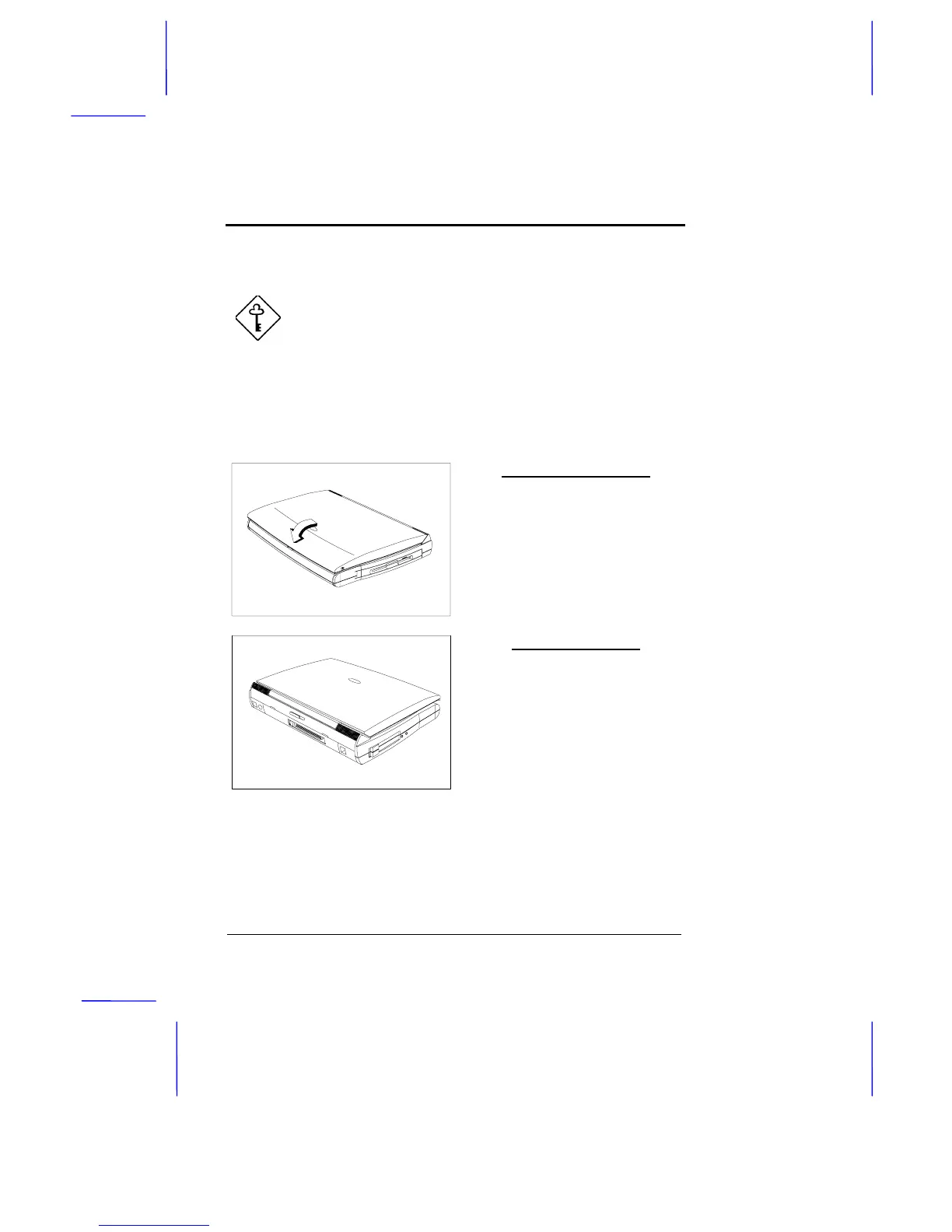
Power off the Notebook
Do a Windows 95 shutdown and
wait for the system to power off.
If you are using a different
operating system, you can press
Fn-F9
to access the eject menu,
then select the Power Off option to
turn the notebook off.
Open the Port Cover
Slide the mini-port cover on the
notebook’s port cover to expose
the mini dock connector.



 To Next Page