13
c. Select HD card and then appoint the directory you want to paste in, then press A-B key to
enter file operation menu, select paste item as the following:
d. Press enter key to begin copy and then it will clew you as complete copying, as the
following graphic:
4
4
4
.
.
.
7
7
7
O
O
O
t
t
t
h
h
h
e
e
e
r
r
r
o
o
o
p
p
p
e
e
e
r
r
r
a
a
a
t
t
t
i
i
i
o
o
o
n
n
n
4
4
4
.
.
.
7
7
7
.
.
.
1
1
1
H
H
H
o
o
o
w
w
w
t
t
t
o
o
o
c
c
c
h
h
h
e
e
e
c
c
c
k
k
k
M
M
M
P
P
P
-
-
-
3
3
3
3
3
3
0
0
0
f
f
f
r
r
r
e
e
e
e
e
e
s
s
s
p
p
p
a
a
a
c
c
c
e
e
e
In music files list interface, press MODE key to enter menu mode,
and then select the capacity item in the menu and it will show you
the capacity of the machine. As the right picture:
4
4
4
.
.
.
7
7
7
.
.
.
2
2
2
H
H
H
o
o
o
w
w
w
t
t
t
o
o
o
c
c
c
h
h
h
e
e
e
c
c
c
k
k
k
t
t
t
h
h
h
e
e
e
v
v
v
e
e
e
r
r
r
s
s
s
i
i
i
o
o
o
n
n
n
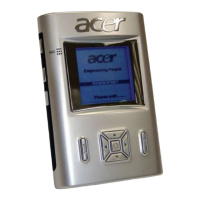
Press mode key under mode select interface. It will show you the
version as the right picture.


 To Next Page