5
3.2 Uninstall in Windows Me/2000/XP
1) Double click the icon “pull out or eject the hard disk” on right bottom of the taskbar, as the
follow picture.
2) Choose the dialogue frame “USB Mass Storage Device”
3) Click “Stop” button.
4) Click “Close” when the system indicates “USB Mass Storage Device equipment can be
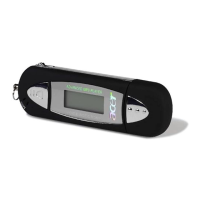
removed safely from the system”, and then you can pull out the Acer MP-330 safely.
3.3 Uninstall in Mac OS9.X / 10.X
1) Choose “Untitled” disk
2) Click the menu “others” and choose “pull out” then click; or drug the driver symbol “Untitled” to
the dustbin.
3) Wait for the system indication “Now you can pull the box-hardware from USB equipment,
because Macintosh has finished its management” then click “OK” to pull out the Acer Easy
MP3 Flash Stick from the USB interface.


 To Next Page