EasyManua.ls Logo

Acer P5290 - User Manual

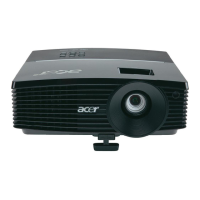
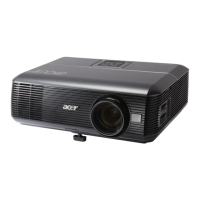
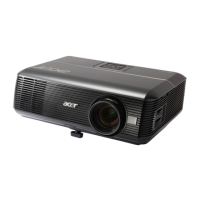
Acer P5290
71 pages
Print Icon
To Next Page IconTo Next Page
Loading...
Acer Projector
P5271/P5271i/P5271n/P5390W/
P5290 Series
User's Guide

Questions and Answers

  • A
    Anthony StewartAug 18, 2025
    How to fix no image on Acer Projector?
    • M
      Mrs. Anna Lane PhDAug 18, 2025
      If no image appears onscreen with your Acer Projector, ensure the projector is connected as described in the "Getting Started" section and that none of the connector pins are bent or broken. Verify the projector lamp has been securely installed. Also, confirm that you've removed the lens cap and the projector is switched on.
  • A
    Amanda HansenAug 21, 2025
    How to adjust image size on Acer P5290?
    • N
      Nicholas WhiteAug 21, 2025
      If the image from your Acer Projector is too small or too large, try the following: * Adjust the zoom ring on the top of the projector. * Move the projector closer to or further from the screen. * Press "MENU" on the remote control or on the control panel, go to "Image --> Aspect Ratio" and try different settings.
  • Z
    Zachary PughAug 23, 2025
    How to adjust focus on Acer Projector?
    • M
      Michael SandersAug 23, 2025
      If the image from your Acer Projector is out of focus, first ensure that the lens cap is removed. Then, adjust the focus ring on the projector lens. Also, make sure the projection screen is within the required distance: 4.9 to 32.4 feet (1.5 to 9.9 meters) for P5271/P5271i/P5271n/P5290 models, or 4.9 to 27.6 feet (1.5 to 8.4 meters) for P5390W models.
  • J
    Jennifer ColemanAug 26, 2025
    Why is my Acer Projector not displaying my notebook screen?
    • K
      kevin78Aug 26, 2025
      If the screen of your notebook computer is not displaying your presentation through the Acer Projector, and you are using a Microsoft® Windows® based notebook, your notebook PC may deactivate its own screen when a second display device is in use. Refer to your computer's manual for detailed information on how to reactivate it. If you are using an Apple® Mac® OS based notebook, open Display in System Preferences and select Video Mirroring "On".
  • M
    Mitchell MoralesAug 28, 2025
    How to correct slanted image on Acer P5290 Projector?
    • J
      jamesnguyenAug 28, 2025
      If the image from your Acer Projector has slanted sides, try repositioning the projector so that it is centered on the screen. Alternatively, press the "Keystone / " button on the OSD or the remote control until the sides are vertical.
  • C
    Catherine LeachAug 30, 2025
    What to do if Acer Projector is not responding?
    • S
      sandersxavierAug 30, 2025
      If your Acer Projector stops responding to all controls, turn off the projector if possible, then unplug the power cord and wait at least 30 seconds before reconnecting the power.
  • M
    mathew18Sep 1, 2025
    How to flip image on Acer P5290 Projector?
    • J
      James ShermanSep 2, 2025
      If the image from your Acer Projector is reversed, select "Image --> Projection" on the OSD and adjust the projection direction.
  • T
    Tami BennettSep 6, 2025
    How to fix scrolling image on Acer P5290?
    • R
      richard33Sep 6, 2025
      If you are experiencing a partial, scrolling, or incorrectly displayed image with your Acer Projector when using notebooks, try the following: * Press "RESYNC" on the remote control or control panel. * Follow the steps for item 2 (above) to adjust the resolution of your computer. * Press the toggle output settings. Example: [Fn]+[F4], Compaq [Fn]+[F4], Dell [Fn]+[F8], Gateway [Fn]+[F4], IBM [Fn]+[F7], HP [Fn]+[F4], NEC [Fn]+[F3], Toshiba [Fn]+[F5 ]. * If you experience difficulty changing resolutions or your monitor freezes, restart all equipment including the projector.
  • A
    Angel WhiteSep 8, 2025
    Why does my Acer P5290 Projector lamp make a popping sound?
    • M
      Marissa BaldwinSep 8, 2025
      When the lamp in your Acer Projector reaches the end of its useful life, it will burn out and may make a loud popping sound. If this happens, the projector will not turn on until the lamp module has been replaced. Follow the procedures in the "Replacing the Lamp" section to replace the lamp.
  • L
    lmooreSep 12, 2025
    How to stabilize image on Acer Projector?
    • S
      Susan Christensen MDSep 12, 2025
      If the image from your Acer Projector is unstable or flickering, adjust the "Tracking" setting. Also, try changing the display color depth settings on your computer.

Summary

Safety and Comfort Information

Electrical Power Safety

Safe Electrical Power Usage

Advice on safe power usage, grounding, extension cords, and avoiding overload.

Product Servicing and Safety

Introduction to the Acer Projector

Control Panel Functions

Remote Control Layout

Getting Started: Connecting the Projector

Wireless Connection Setup

Operating the Projector: Powering On

Operating the Projector: Powering Off

Adjusting the Projected Image

Adjusting Image Height

How to use elevator feet and tilt wheel to adjust the projector's image height and angle.

Optimizing Image Size and Distance

Image Size and Distance Optimization

Guide to achieving optimal image sizes by adjusting projector distance and zoom.

Image Size and Distance for P5390 W

Optimizing Image Size and Distance (P5390 W)

Guide for P5390W model on achieving optimal image sizes by adjusting projector distance and zoom.

Adjusting Image Position with Lens Shift

Lens Shift for Image Position

Explanation of how lens shift adjusts image position without moving the projector.

Adjusting Image Position (P5271 Series)

Horizontal and Vertical Image Position

Details on adjusting horizontal and vertical image position using lens shift for P5271 series.

Adjusting Image Position (P5390 W)

Horizontal and Vertical Image Position (P5390 W)

Details on adjusting horizontal and vertical image position for P5390W model.

User Controls: Installation Menu

Onscreen Display (OSD) Menus

Color Settings and Adjustments

Image Settings and Adjustments

Keystone and Image Position Adjustments

Image Size and 3 D Settings

Troubleshooting Common Image Problems

Troubleshooting Image Display Issues

Solutions for issues like no image, incorrect display, flickering, or out-of-focus images.

Troubleshooting Other Projector Issues

Troubleshooting Image and Control Issues

Addressing problems with image size, slanted sides, reversed images, and projector responsiveness.

LED & Alarm Definition Listing

LED and Alarm Indicator Meanings

Explains the meaning of different LED indicators and alarm messages.

Replacing the Lamp Module

Lamp Replacement Procedure

Step-by-step guide on how to safely replace the projector lamp.

Ceiling Mount Installation Guide

Ceiling Mount Installation Steps

Instructions for securely installing the projector using a ceiling mount bracket.

Technical Specifications

Projector Specifications

Comprehensive list of the projector's technical details and performance metrics.

Compatibility Modes (VGA Analog)

VGA Analog Signal Compatibility

Lists supported VGA analog resolutions, frequencies, and PC signal timings.

Compatibility Modes (Extended & HDMI)

Compatibility Modes (HDMI Video)

Regulations and Safety Notices

Acer P5290 Specifications

General IconGeneral
Native ResolutionXGA (1024 x 768)
Contrast Ratio2000:1
Display TechnologyDLP
Weight3.5 kg
Aspect Ratio4:3 (Native), 16:9 (Supported)
Brightness4000 ANSI Lumens (Standard), 3200 ANSI Lumens (ECO)
Zoom Ratio1.1x
Keystone Correction+/-40 Degrees (Vertical )
Video CompatibilityNTSC, PAL, SECAM
Input PortsVGA, HDMI, Composite Video, S-Video
Projection Size23" - 300"

Related product manuals