EasyManua.ls Logo

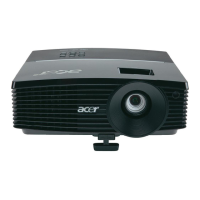
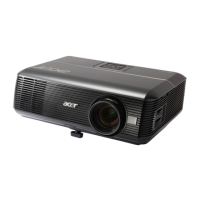
Acer P5271 - User Manual

Acer P5271
124 pages
Print Icon
To Next Page IconTo Next Page
Loading...
SERVICE MANUAL
SI : TSE: Check: Approved:
Date Revise Version Description
2009.08.17 V1.0 Initial Issue
2009.09.16
V2.0 Add P5271’s extended models: P5390W/P5271i
Copyright September, 2009 All Rights Reserved P/N: 36.8BV03G001
P5271/P5290/P5390W/P5271i

Table of Contents

Questions and Answers

  • Z
    zmoralesSep 10, 2025
    How to improve Acer Projector poor uniformity?
    • C
      Chase HernandezSep 10, 2025
      If your Acer Projector exhibits poor uniformity or shadows, ensure the projection screen is free of dirt and the projection lens is clean. Also, verify that the brightness is within specification. If the issue persists, check the rod alignment and Engine Module.
  • L
    Lauren ValdezAug 22, 2025
    How to troubleshoot Acer P5271 no image?
    • P
      pthomasAug 23, 2025
      If your Acer Projector displays no image, verify that the signal cable and source are working correctly. If you are connecting multiple sources, use the 'Source' button to switch between them. Also, ensure all connectors are securely connected and not broken. If the problem persists, check the Main Board, DMD Board, DMD Chip, and Engine Module.
  • D
    Daniel ScottAug 25, 2025
    How to reset admin password on Acer P5271 Projector?
    • K
      Kimberly LawsonAug 25, 2025
      If you've forgotten the administrator password for your Acer Projector, there is a Universal Password printed on the Security Card. This password acts as a back door and will be accepted by the projector at any time, regardless of the current administrator password. To retrieve the Universal Password: 1. Click the 'AcerSNID'. 2. Input the SNID number (found on the Security Card). 3. Click 'Calculate'. The Universal Password will then appear.
  • T
    Tina HamiltonAug 26, 2025
    What to do if Acer P5271 Projector universal password fails?
    • K
      Keith JohnsonAug 26, 2025
      If the universal password is not working on your Acer Projector, please confirm whether the SNID number in Service Mode is the same as the SNID number on the back of the projector. If they are different: 1. Execute the EDID Upgrade Procedure. 2. Execute 'Un-lock SNID and Default Language Reset'. 3. Press 'Power', 'Left', 'Left', and 'Menu' buttons sequentially to enter Service Mode and obtain the SNID number, then calculate the Universal Password.
  • E
    Edward PorterAug 27, 2025
    What to do if Acer P5271 Projector wireless function is abnormal?
    • E
      Erica RiddleAug 28, 2025
      To troubleshoot wireless function abnormalities on your Acer Projector (P5271i model only), ensure that the settings on both the projector and PC (Laptop) are correct. Also, verify that the signal strength of the wireless network connection is sufficient. If problems persist, check the Wireless Module and the Main Board.
  • J
    James ConradAug 29, 2025
    Why does my Acer P5271 auto shut down?
    • T
      Teresa RandallAug 29, 2025
      If your Acer Projector is automatically shutting down, it could be due to several reasons: * Thermal/Fan Failure: Check the LED status. The Temp LED may light or flash red, and the Power LED may light red. * Lamp Failure: Check the Lamp LED, which may light red, and the Power LED, which may light blue. * Color Wheel Failure: In this case, you should check the Color Wheel. Also, consider checking the Thermal Switch, Fan, Main Board, Lamp, Lamp Driver, Photo Sensor.
  • D
    David HendersonSep 18, 2025
    How to fix Acer P5271 Projector network function abnormal?
    • J
      Jeffrey HarrisSep 18, 2025
      For network function abnormalities on the Acer Projector (P5271i model only), ensure you are using the correct LAN cable. Also, verify that the RJ45 connector is working correctly (Green and Red LEDs of the RJ45 port should light up after connecting the RJ45 line). If the LED message is abnormal, check the Internet Source and Wireless Module; if the LED message is normal, check the Main Board.
  • M
    Michael CampbellSep 12, 2025
    How to fix line bar defect on Acer P5271 Projector?
    • S
      Sheila NelsonSep 12, 2025
      To troubleshoot line bars or line defects on your Acer Projector, check if the Main Board and the DMD Board are assembled properly. Also, check the Main Board, DMD Board, and DMD Chip.
  • E
    Erin KnoxSep 8, 2025
    Why is my Acer Projector making mechanical noise?
    • R
      Robert JohnsonSep 8, 2025
      If your Acer Projector is producing mechanical noise, check the Color Wheel and Fan Module.
  • K
    karenchenSep 5, 2025
    What causes a garbage image on Acer P5271?
    • A
      Alexis SchaeferSep 5, 2025
      If you are experiencing a garbage image on your Acer Projector, ensure that the signal cables and source are working correctly. If the problem persists, check the Main Board and DMD Board.

Acer P5271 Specifications

General IconGeneral
Native ResolutionXGA (1024 x 768)
Display TechnologyDLP
Aspect Ratio4:3 (Native), 16:9 (Supported)
Output PortsVGA Out, Audio Out
Zoom Ratio1.1x
Keystone Correction±40° (Vertical)
ConnectivityHDMI, USB
Projection Size30" to 300"
Throw Distance1.2m - 11.9m
Power Consumption240W (Eco)
Noise Level29 dBA (ECO)
Throw Ratio1.95-2.15:1
Video CompatibilityNTSC, PAL, SECAM

Related product manuals