EasyManua.ls Logo

Acer PD1325WG Series - User Manual

Acer PD1325WG Series
59 pages
Print Icon
To Next Page IconTo Next Page
Loading...
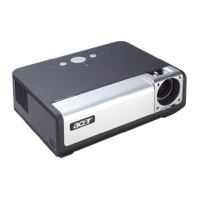
Acer DLP Projector
PD1325WG/LK-W325G/EW325G/
K725WG/FD-225WG/PD1325WG+/
PD1325W/LK-W325/EW325/K725W/
FD-225W/PD1325W+/AWX2113/
HD5385G/E235DG/HE-725G/
GM325G/FD-225G/VD1325G/
VD5325G/HD5385G/HD5385BD/
E235D/HE-725/GM325/FD-225/
VD1325/VD5325/HD5385/A7P2114/
PD2325W/LK-W325R/EW325R/
K725WR/FD-225WR/PD2325W+/
HD5385R/AWX2113/PD2327W/LK-
W327/EW327/K727W/FD-227W/
PD2327W+/HD5327R/HD5390R/
XD2327/HD5327/AWX2202/PD2527i/
LK-F207i/EF237i/K657i/FD-427i/
VD6500i/VD6527Ri/HD6527Ri/
XD2527i/HD6527i/A1P2203 Series
User's Guide
Copyright © 2022. Acer Incorporated.
All Rights Reserved.
Acer Projector User's Guide
Original Issue: 01/2022

Questions and Answers

  • T
    Tyrone GregoryAug 18, 2025
    What to do if Acer PD1325WG Projector image is too small or too large?
    • A
      anthony95Aug 18, 2025
      If the image is too small or too large, try these steps: First, adjust the zoom lever on the top of the projector. Then, move the projector closer to or further from the screen. Alternatively, press 'MENU' on the control panel or remote, navigate to 'Image' > 'Aspect Ratio,' and experiment with different settings.
  • B
    Beth BakerAug 20, 2025
    How to fix Acer Projector when no image appears on screen?
    • R
      Rebecca GuerreroAug 20, 2025
      If no image appears on the screen, ensure all cables are correctly connected. Check that none of the connector pins are bent or broken. Also, verify that the projector is switched on.
  • G
    Grant StanleyAug 23, 2025
    What to do if Acer PD1325WG image has slanted sides?
    • K
      Kenneth DavidsonAug 23, 2025
      If the image has slanted sides, try these solutions: If possible, reposition the projector so that it is centered on the screen and below the bottom of the screen. Correct the keystone by pressing the Keystone correction keys on the control panel or remote control until the image becomes square. Also, you can make adjustments by pressing 'MENU' on the control panel or remote control to open the OSD menu and going to 'Image' > 'Auto Keystone' or 'Image' > 'Manual Keystone'.
  • S
    simonginaAug 26, 2025
    Why does my Acer Projector image is out of focus?
    • E
      Emily KellyAug 26, 2025
      If the image is out of focus, adjust the focus settings. Make sure the projection screen is within the required distance.
  • G
    Gordon MartinAug 28, 2025
    What to do if Acer PD1325WG Projector stops responding to controls?
    • P
      pamelascottAug 28, 2025
      If the projector stops responding to all controls, try turning off the projector. Then, unplug the power cord and wait at least 30 seconds before reconnecting the power. Ensure that the control panel lock function is disabled.
  • C
    christopher14Aug 30, 2025
    Why Acer Projector image is unstable or flickering?
    • M
      Marvin TranAug 30, 2025
      If the image is unstable or flickering, use the 'Tracking' feature to correct it. Also, try changing the display color setting on your computer.
  • D
    darren16Sep 2, 2025
    How to fix reversed image on Acer Projector?
    • D
      David GrossSep 2, 2025
      If the image is reversed, go to 'Image' > 'Projection Mode', 'Image' > 'Projection Location' on the OSD and adjust the projection direction.
  • J
    john56Sep 4, 2025
    Why does Acer PD1325WG lamp burns out?
    • C
      Christina LynchSep 4, 2025
      When the lamp reaches the end of its useful life, it will burn out and may make a loud popping sound. If this happens, the projector will not turn on until the lamp module has been replaced.
  • B
    benjaminbrianSep 9, 2025
    Why the screen of the notebook computer is not displaying your presentation on Acer PD1325WG?
    • E
      esimmonsSep 9, 2025
      If you are using a Microsoft® Windows® based notebook: Some notebook PCs may deactivate their own screens when a second display device is in use. Each has a different way to be reactivated. Refer to your computer's manual for detailed information. If you are using an Apple® Mac® OS based notebook: In System Preferences, open Display and select Video Mirroring "On."
  • S
    singletonbradleySep 12, 2025
    Why Acer PD1325WG image has vertical flickering bar?
    • D
      Debbie SanchezSep 12, 2025
      If the image has a vertical flickering bar, use the 'Frequency' setting to make an adjustment. Also, check and reconfigure the display mode of your graphics card to make it compatible with the projector.

Acer PD1325WG Series Specifications

General IconGeneral
Display TypeDLP
Contrast Ratio10000:1
ConnectivityHDMI, VGA, USB
Aspect Ratio16:10
Projection Size30" to 300"
Lamp Life (Normal)4000 hours
Brightness3000 ANSI Lumens (Standard), 2400 ANSI Lumens (ECO)

Related product manuals