EasyManua.ls Logo

Acer PD726 - User Manual

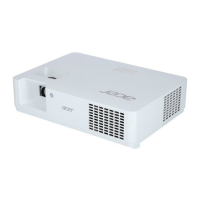
Acer PD726
97 pages
Print Icon
To Next Page IconTo Next Page
Loading...
PD726 & PH730
Service Guide
PRINTED IN TAIWAN
Service guide files and updates are available
on the AIPG/CSD web; for more information,
please refer to http://csd.acer.com.tw

Questions and Answers

  • M
    Madison RoblesAug 18, 2025
    What to do if my Acer PD726 has no image?
    • J
      Jeffrey GreerAug 18, 2025
      If your Acer Projector has no image, ensure the signal cable and source are working correctly. If you connect multiple sources, use the 'Source' button to switch between them. Also, ensure all connectors are securely connected and aren’t broken. You may need to check the Main Board, DMD Board, Color Wheel, DMD Chip, and Engine Module.
  • M
    Michael ColeAug 21, 2025
    What to do if Acer PD726 Projector remote control or control panel failed?
    • L
      landersonAug 21, 2025
      If your Acer Projector's remote control or control panel has failed, check the following: 1. For the remote control: check the battery, the remote control itself, and the IR receiver. 2. For the control panel: check the FPC, keypad, and main board.
  • G
    Grant McmahonAug 23, 2025
    How to fix no power on Acer Projector?
    • V
      Valerie MossAug 23, 2025
      If your Acer Projector shows no power, make sure the power cord and AC power outlet are securely connected. Also, check the lamp cover and interrupt switch. Ensure all connectors are securely connected and aren’t broken. You may also need to check the DC-DC, Ballast, and Main Board.
  • M
    Mary JohnsonAug 26, 2025
    Why does my Acer PD726 Projector automatically shut down?
    • E
      Emily HerreraAug 26, 2025
      If your Acer Projector is automatically shutting down, the issue might be related to the Lamp LED light, Temp LED light, or Color Wheel. Check the Lamp, Lamp Driver, and Main Board if the Lamp LED is the cause. For the Temp LED, inspect the Thermal Sensor, Thermal Switch, and Fan. If it's related to the Color Wheel, check the Color Wheel and Photo Sensor. If none of these work, refer to the 'No Power' troubleshooting steps.
  • C
    Carlos CarlsonAug 27, 2025
    Why is the color abnormal on my Acer PD726?
    • M
      melissa53Aug 28, 2025
      If your Acer Projector shows a color abnormality, try performing a 'Reset' of the OSD Menu. You might also need to adjust the Color Wheel Index. Additionally, check the Main Board, DMD Board, and Color Wheel.
  • J
    Jeffery GarciaAug 30, 2025
    How to fix no light on Acer Projector?
    • T
      Tristan Ward PhDAug 30, 2025
      If your Acer Projector has no light, ensure all connectors are securely connected and aren’t broken. Check the Lamp Module, DC-DC, Ballast, and Main Board.
  • N
    Nancy ScottSep 1, 2025
    Why does my Acer PD726 Projector show a garbage image?
    • K
      Kenneth CantrellSep 1, 2025
      If your Acer Projector has a garbage image, ensure the signal cable and source are working properly. Check the Main Board and DMD Board.
  • H
    harrisjohnathanSep 3, 2025
    Why does my Acer PD726 make mechanical noise?
    • P
      Philip MoralesSep 3, 2025
      If your Acer Projector is producing mechanical noise, check the Color Wheel and Fan Module.
  • L
    Larry BlackSep 5, 2025
    Why does my Acer Projector have line bar / line defect?
    • N
      Nathan BennettSep 6, 2025
      If you see a line bar or line defect on your Acer Projector, it might be because the DMD Chip and the DMD Board did not assemble properly. Check the DMD Board and DMD Chip. Also, check the Main Board.
  • J
    Jeffrey GrossSep 8, 2025
    Why is the image flickering on my Acer PD726 Projector?
    • R
      ryan65Sep 8, 2025
      If your Acer Projector's image is flickering, try performing a 'Reset' of the OSD Menu. Also, ensure the signal cable and source are working correctly. Check the Lamp Module, Color Wheel, DMD Board, and Main Board.

Acer PD726 Specifications

General IconGeneral
Resolution1024 x 768 (XGA)
Weight3.5 kg
Display TypeDLP
Projection TechnologyDLP
Projection Size23 to 300 inches
Brightness4000 lumens
Lamp Life2000 hours (Standard), 3000 hours (Economy)
InputsVGA, S-Video, Composite Video, Component Video

Related product manuals