EasyManua.ls Logo

Acer PD726 - User Manual

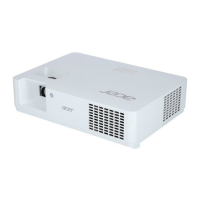
Acer PD726
97 pages
Print Icon
To Next Page IconTo Next Page
Loading...
PD726 & PH730
Service Guide
PRINTED IN TAIWAN
Service guide files and updates are available
on the AIPG/CSD web; for more information,
please refer to http://csd.acer.com.tw

Questions and Answers

  • B
    Bobby CardenasSep 12, 2025
    Why does my Acer Projector have poor uniformity / shadow?
    • P
      Paul WalshSep 12, 2025
      If your Acer Projector has poor uniformity or shadows, ensure the projection screen is free of dirt and that the projection lens is clean. Also, ensure the brightness is within specification; if it's less, replace the lamp. Check the Engine Module.
  • K
    Kimberly SimpsonSep 12, 2025
    What to do if my Acer Projector has function abnormal?
    • C
      christophergutierrezSep 13, 2025
      If your Acer Projector has a function abnormality, try performing a 'Reset' of the OSD Menu. Check the Main Board and DMD Board.
  • R
    Robert SmithSep 15, 2025
    Why does my Acer Projector have dead pixel / dust?
    • A
      Amber GarciaSep 15, 2025
      If your Acer Projector has dead pixels or dust (out of spec), ensure the projection screen is free of dirt and that the projection lens is clean. Clean the DMD Chip and Engine Module. Check the DMD Chip and Engine Module.

Acer PD726 Specifications

General IconGeneral
Resolution1024 x 768 (XGA)
Weight3.5 kg
Display TypeDLP
Projection TechnologyDLP
Projection Size23 to 300 inches
Brightness4000 lumens
Lamp Life2000 hours (Standard), 3000 hours (Economy)
InputsVGA, S-Video, Composite Video, Component Video

Related product manuals