EasyManua.ls Logo

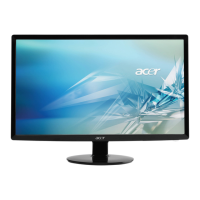
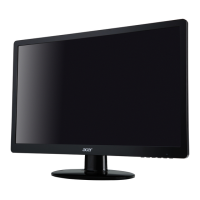
Acer S242HL - User Manual

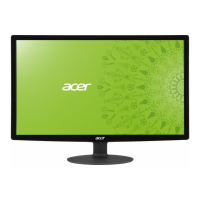
Acer S242HL
27 pages
Print Icon
To Next Page IconTo Next Page
Loading...
User Guide
Acer LCD Monitor

Other manuals for Acer S242HL

Questions and Answers

  • C
    Catherine EdwardsJul 26, 2025
    What to do if my Acer Monitor has no picture?
    • A
      Austin HardyJul 26, 2025
      If your Acer Monitor displays no picture, verify that the AC power cord is properly connected to the monitor and that the video signal cable is securely connected at the back. Ensure that the computer system is powered on and that the power switch on the monitor is also on. You can also try using the OSD to adjust the brightness and contrast to the maximum level or reset them to their default settings.

Summary

Safety and Comfort Information

Safety Instructions

Read safety instructions carefully and follow all warnings and instructions marked on the product for future reference.

Safety and Usage Guidelines

Critical Warnings and Power Safety

Lists essential warnings regarding product placement, ventilation, electrical use, and potential hazards.

Power Cord and Servicing Precautions

Power Cord Safety

Explains power cord requirements, grounding pins, and warnings about improper grounding for safety.

Environmental and Safety Notices

Explosive Environments Safety

Advises switching off the device in areas with potentially explosive atmospheres and obeying safety instructions.

Vision Care and Work Habits

Monitor Unpacking and Contents

Monitor Base and Screen Adjustment

Power Connection and Safety Precautions

Monitor Installation Procedure

User Controls and Base Functions

Acer eColor Management System

Adjusting OSD Picture Settings

Adjusting OSD Position Settings

Adjusting OSD General Settings

Troubleshooting Guide (VGA Mode)

Troubleshooting Guide (DVI;HDMI Mode)

Acer S242HL Specifications

General IconGeneral
3DNo
Aspect ratio16:9
Response time2 ms
Display surface-
Display diagonal24 \
Viewing angle, vertical160 °
Contrast ratio (dynamic)100000000:1
Display number of colors16.78 million colors
Viewing angle, horizontal170 °
Display brightness (typical)250 cd/m²
Supported graphics resolutions1920 x 1080 (HD 1080)
HDCPYes
USB Type-A downstream ports quantity0
CertificationMPR II
Product colorBlack
Panel mounting interface- mm
AC input voltage110 - 220 V
Power consumption (off)0.52 W
Power consumption (standby)0.69 W
Power consumption (typical)26.1 W
Sustainability certificatesENERGY STAR
Cables includedAC, DVI, HDMI, VGA
Weight and Dimensions IconWeight and Dimensions
Depth (without stand)165.1 mm
Width (without stand)563.9 mm
Height (without stand)401.3 mm
Weight (without stand)3100 g

Related product manuals