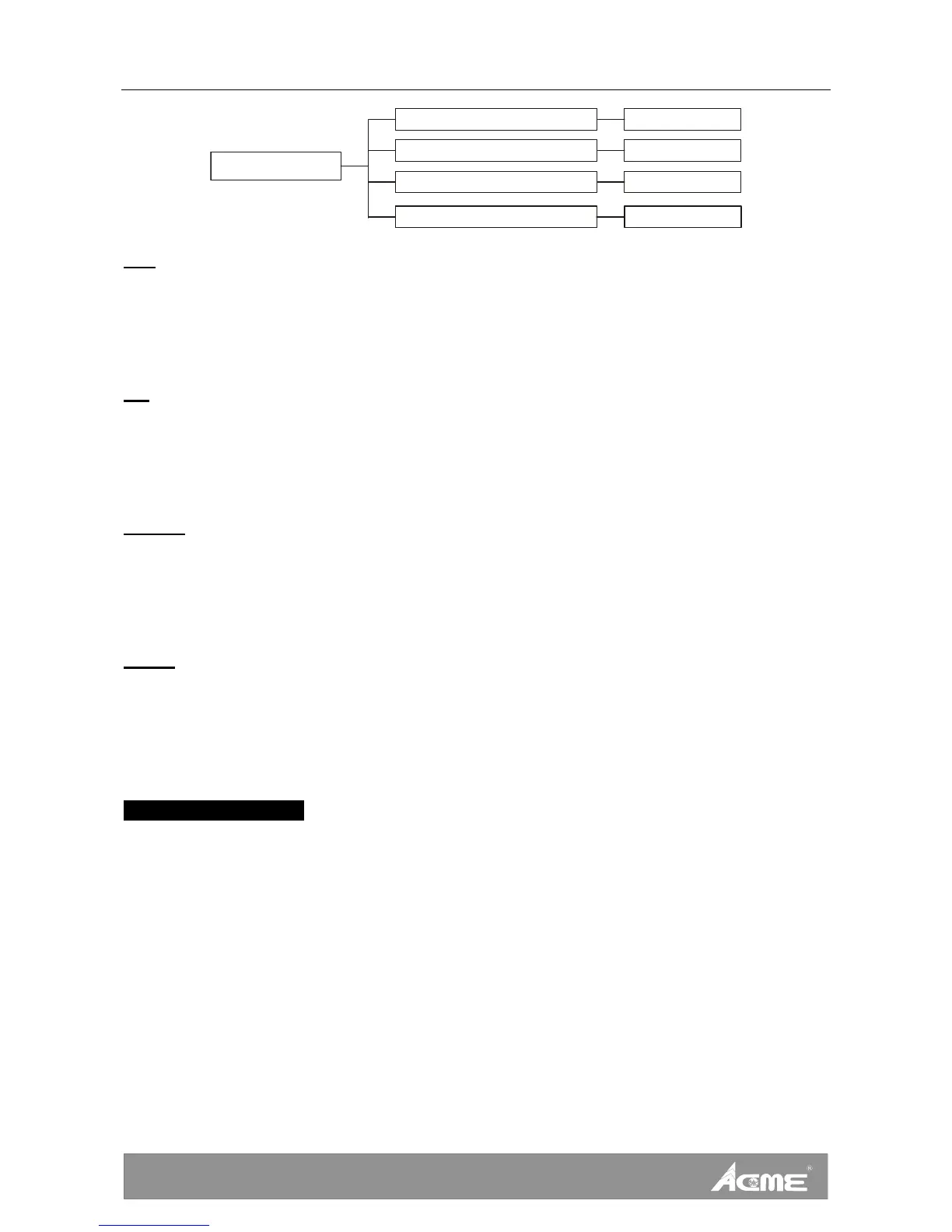
DVS-2500
25-
-128~127
Pan
Tilt -128~127
Shutter
0~255
Offset Menu
Focus 0~255
Pan—pan home position adjust
Enter offset mode, Select Pan, press ENTER button to confirm, the present position will
blink on the display, use UP/DOWN button to offset the value from -128 to 127, press
ENTER button to store. Press MENU button to exit.
Tilt—Tilt home position adjust
Enter offset mode, Select Tilt, press ENTER button to confirm, the present position will
blink on the display, use UP/DOWN button to offset the value from -128 to 127, press
ENTER button to store. Press MENU button to exit.
Shutter—Shutter home position adjust
Enter offset mode, Select Shutter, press ENTER button to confirm, the present position will
blink on the display, use UP/DOWN button to offset the value from 0 to 255, press ENTER
button to store. Press MENU button to exit.
Focus—Focus home position adjust
Enter offset mode, Select Focus, press ENTER button to confirm, the present position will
blink on the display, use UP/DOWN button to offset the value from 0 to 255, press ENTER
button to store. Press MENU button to exit.
6.4. Memory SD card
Insert the memory SD card
A memory SD card is included with this user manual. Please insert a compatible memory
card in the slot of the device. Ensure that the contact area is facing up. Push the card in.
You can hear a click when the card locks into place.









 To Next Page