EasyManua.ls Logo

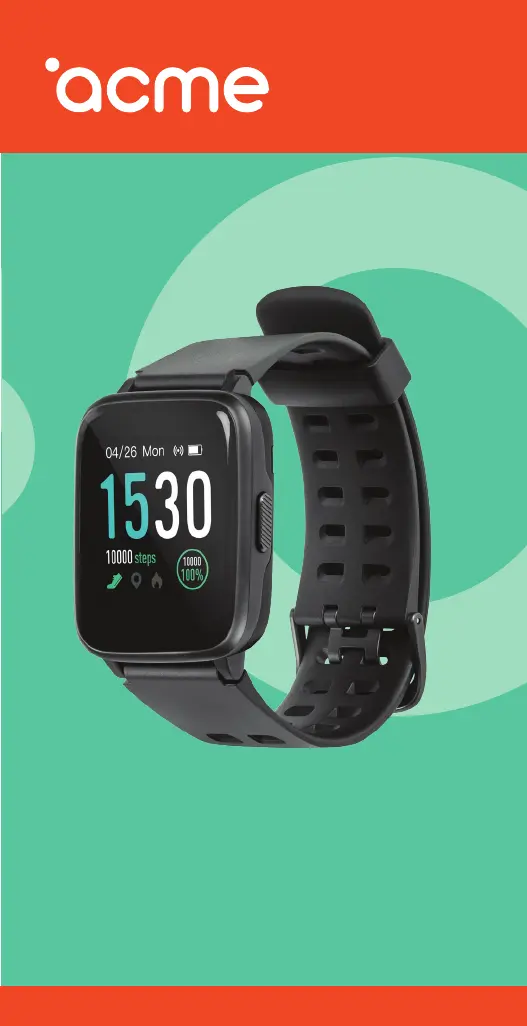
ACME SW202G - User Manual

ACME SW202G
78 pages
Print Icon
To Next Page IconTo Next Page
Loading...
1
Smartwatch
SW202G

Questions and Answers

  • A
    anthonydeborahJul 28, 2025
    Why does my ACME Watch have connectivity problems?
    • C
      Caitlyn SpencerJul 28, 2025
      To ensure some ACME Watch functions work correctly, the VeryFitPro app must be running in the background of your smartphone's operating system. Do not disable the Bluetooth connection, and do not close the app from the background applications list. Also, try restarting your ACME Watch or smartphone. Ensure that the devices are close to each other.
  • J
    jloganAug 6, 2025
    How to improve short battery performance on ACME Watch?
    • A
      Alicia YangAug 6, 2025
      If your ACME Watch battery drains quickly, ensure it has been fully charged for at least two hours. Also, turn off unnecessary features that consume a lot of power, such as screen activation by wrist movement and high screen brightness.
  • L
    Lauren CoffeyAug 17, 2025
    What to do if my ACME SW202G cannot be turned on?
    • C
      Carrie Fuentes DDSAug 17, 2025
      If your ACME Watch won't turn on, press the power button for a longer time. If that doesn't work, recharge the device and try starting it again.

Summary

User Manual

Technical Specifications

Lists hardware and software details of the smartwatch.

Product Overview

Details the physical components and parts of the smartwatch.

Charging and Pairing

Charging the Smartwatch

Instructions on how to connect and charge the smartwatch.

Pairing with a Smartphone

Steps to connect the smartwatch to a smartphone via Bluetooth.

Device Controls

Smartwatch Interface and Navigation

Main Menu Theme

How to change the watch face or main display theme.

Interface Operation

Explains how to navigate through different screens and menus.

Quick Access Menu Functions

Details on ECO, DND, Flashlight, and Find smartphone features.

Data Display Modes

Shows how steps, distance, and calories are displayed on the interface.

Overview of Smartwatch Functions

Core Functionality Explanations

Explains core features like Sport, Heart Rate, Relax, Alarm, Timer, etc.

Sports Mode Management

How to select and customize sport modes via the app.

Advanced Features and Support

Special Features

Includes Connected GPS and Women's Health Tracking.

Troubleshooting and Maintenance

Covers common issues, care, and disposal guidance.

Warranty Information

Warranty Period

Defines when the warranty period begins and its duration.

Warranty Conditions

Outlines the terms and conditions for warranty claims and exclusions.

ACME SW202G Specifications

General IconGeneral
Auto standby-
Battery capacity- mAh
Battery life (max)- h
Rechargeable batteryYes
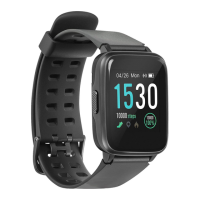
ShapeRectangular
Band colorBlack
Closure typeSingle prong strap buckle
Band materialThermoplastic polyurethane (TPU)
Suggested genderUnisex
Watch case colorGray
Waterproof up to50 m
Wrist size range160 - 240 mm
Market positioningSmartwatch
Protection featuresDust resistant, Splash proof, Waterproof
Watch case materialAluminum
Mobile network connectionNo
Heart rate measuringAutomatic, Manual
Heart rate sensor typeOptical
Personal info management (PIM)Calendar, Events reminder
Display typeDigital
Display diagonal- \
Display resolution- pixels
Display technologyIPS
Mobile operating systems supportedAndroid, iOS
Bluetooth version5.0
Weight and Dimensions IconWeight and Dimensions
Weight39 g
Band width23 mm

Related product manuals