EasyManua.ls Logo

ACME SW302 - User Manual

ACME SW302
68 pages
Print Icon
To Next Page IconTo Next Page
Loading...
1
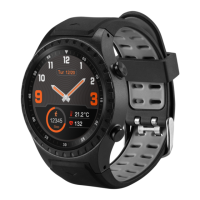
Smartwatch
SW302
GPS

Questions and Answers

  • C
    christopher62Aug 11, 2025
    What to do if ACME SW302 Watch has connectivity problems?
    • A
      anormanAug 11, 2025
      To ensure proper operation of some ACME Watch functions, the SMART-TIME app must be started and working in the background mode of your smartphone operating system. Also, do not disable the Bluetooth connection or close the app in the background applications list. Try restarting the watch or smartphone. Ensure that the distance between the devices is not too long.
  • S
    Shaun HortonAug 18, 2025
    Why ACME Watch has short battery performance?
    • C
      Carla SmithAug 19, 2025
      If your ACME Watch battery drains quickly, ensure it has been completely charged for at least two hours. Also, turn off unnecessary functions that consume a lot of power, such as GPS, screen activation by wrist movement, and high screen brightness.
  • J
    James MyersAug 26, 2025
    What to do if ACME Watch cannot be turned on?
    • A
      April JensenAug 26, 2025
      If your ACME Watch cannot be turned on, press the power button for a longer time. If that doesn't work, recharge the smartwatch and try to start it again.
  • P
    Pamela HopkinsSep 2, 2025
    How to solve GPS location problems on ACME Watch?
    • A
      alicia00Sep 3, 2025
      To improve GPS location accuracy on your ACME Watch, use this function in an open outdoor area, free from tall buildings or other obstacles that could interfere with the signal.

ACME SW302 Specifications

General IconGeneral
BrandACME
ModelSW302
CategoryWatch
LanguageEnglish

Related product manuals