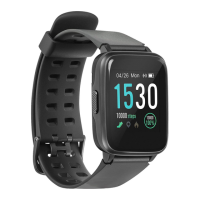
5
Turn on/o: Hold and press the power (4) button for 3 seconds.
Enter main menu: Swipe from right to left when on the watch interface.
Switch the submenus: Swipe up/down.
Sport mode: Swipe from left to right when on the watch interface.
View quick settings menu, weather information and calendar: swipe down.
View motion records, heart rate mode, atmospheric pressure, altitude, compass:
Swipe up when on the watch interface.
Select menu function: Tap the icon.
Exit menu function: Swipe from left to right.
Return to watch interface: Press the power button.
Change watch interface: long press the watch display, then swipe left or right to choose
the watch interface you like – confirm it by tapping the screen.
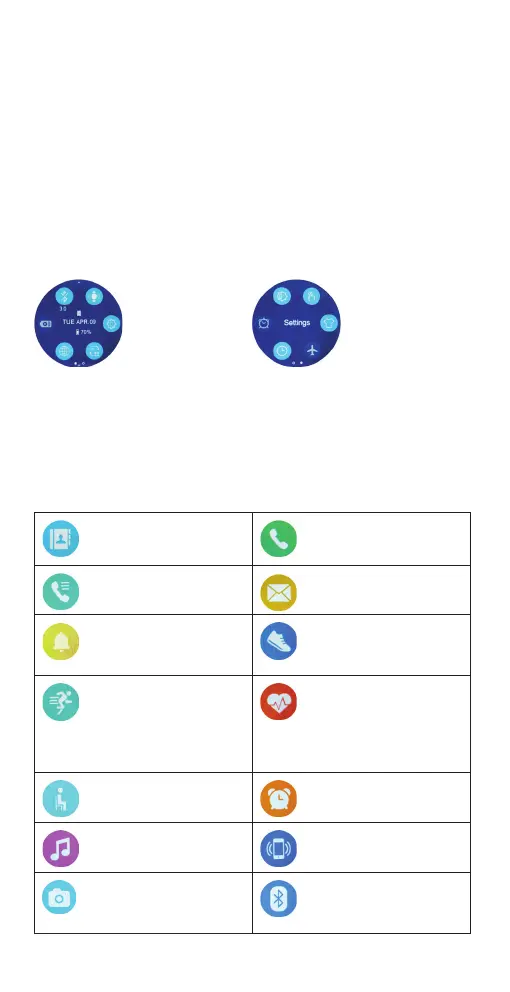
Overview of functions
First menu
Second menu
Functions in the main menu
Contacts – make phone calls
and check your phone
contacts.
Dialler – dial number to call
with your phone.
Call logs – view call logs of
your phone.
Messages – view messages
received to your phone.
Notications – view
received to your phone.
Pedometer – check your day
steps, burnt calories, distance
travelled, heart rate data and
set your steps goal.
Sport mode – select the type
of sports activity and start
tracking your sports activity
session. (Tracking of outdoor
activities requires the GPS
location function to be turned
on.)
Heart rate – test your heart
rate – beats per minute (BPM)
value.
Sedentary alarm – set the
time limit for the alerts of
physical inactivity.
Alarm – create reminder
alarms.
Music player – control music
playback on your smartphone.
Find phone – the phone will
start vibrating and beeping if
it‘s connected via Bluetooth.
Remote capture – tap the
screen of the smartwatch to
take a photo with the camera
of your smartphone
Bluetooth – check the list of
devices which can be
connected to the smartwatch


 To Next Page