(1)
(2)
(3)
(4)
(5)
(6)
26
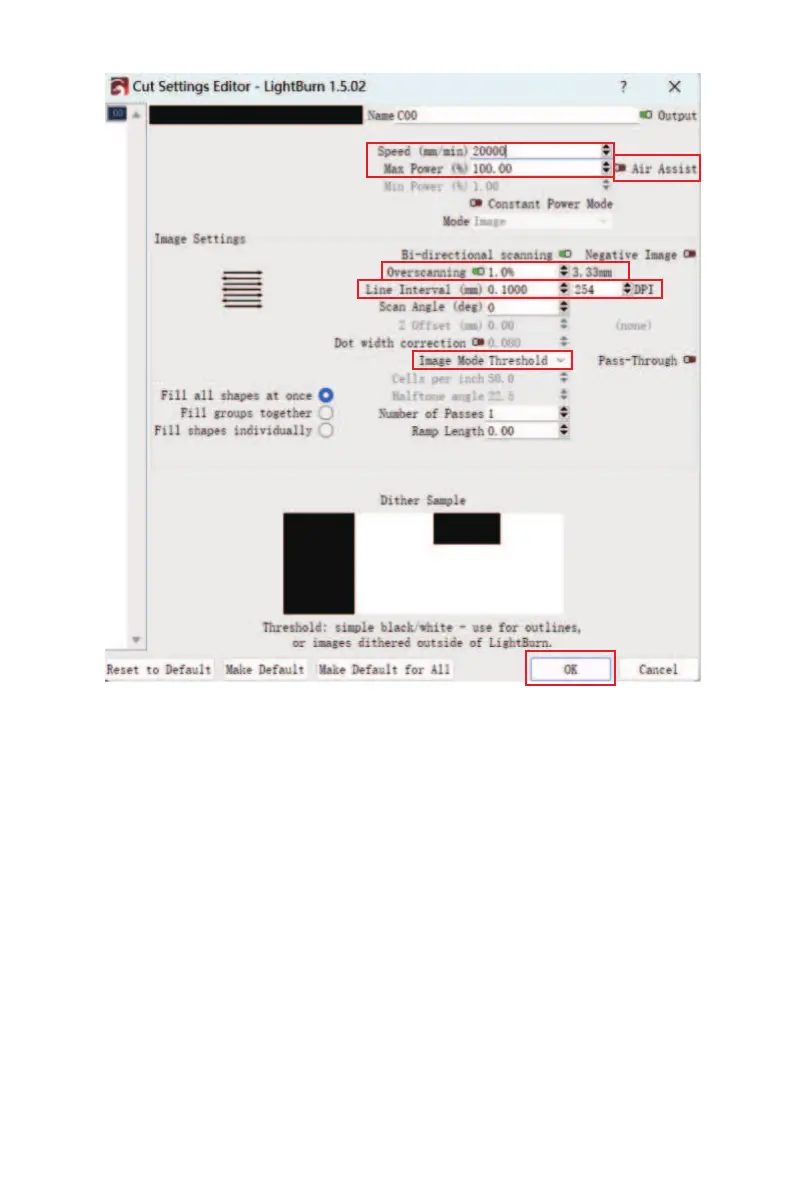
(1) Set the engraving speed and power (it is recommend-
ed to refer to the engraving parameter table for the
specific parameters);
(2) Turn the air pump on or o; (lt is recommended to
switch on the air pump when cutting and switch o the
air pump when engraving)
(3) Set the "Overscanning" parameter to 1%;
(4) Set the Line Interval(please refer to the engraving
parameter table);
(5) Select the Image Mode
(6) After the setting is complete, click "OK".



 To Next Page