29
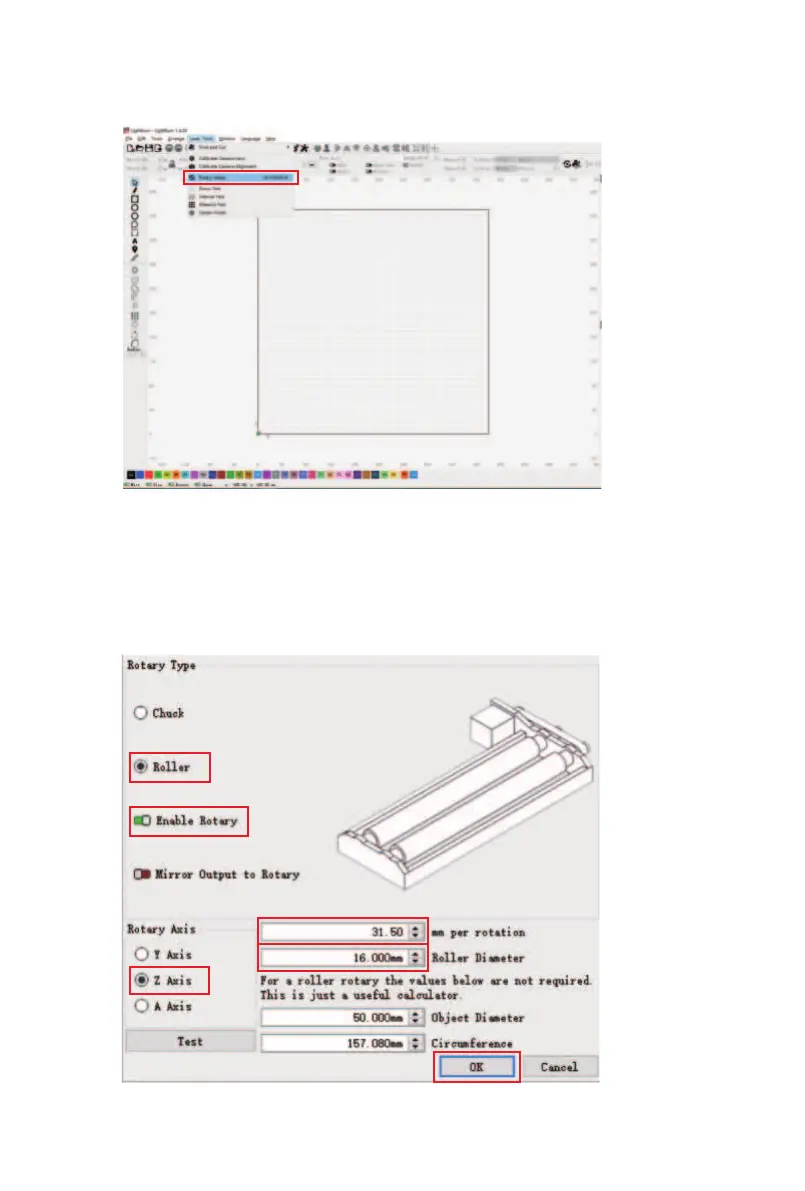
③ Find "Laser Tools" - "Rotary Setup" on the software
toolbar.
④ Choose "Roller", click "Enable Rotary", and select the Z
Axis as the Rotary Axis. Then enter the value of [31.5] in
the "mm per rotation" field, enter the value of [16] in the
"Roller Diameter" field, and click OK to use the rotary
module.



 To Next Page