30
7.2 LaserGRBL
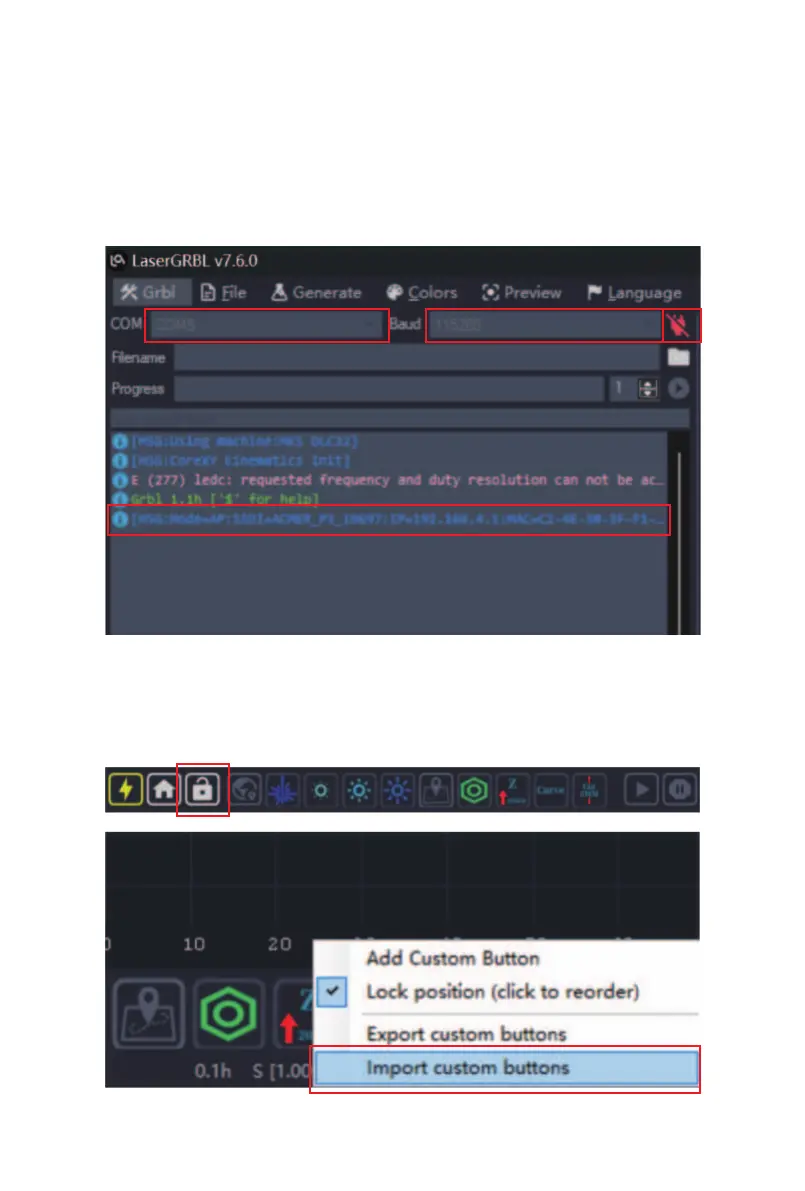
① Select the corresponding COM port, check that the
baud rate is "115200", click connect, and the control
window will display a string of text indicating a successful
connection.
7.2.1 Machine Connection
② Click the "Unlock" button, move the mouse to the blank
area in the lower right corner of the controls, right-click
and select "Import custom buttons".



 To Next Page