31
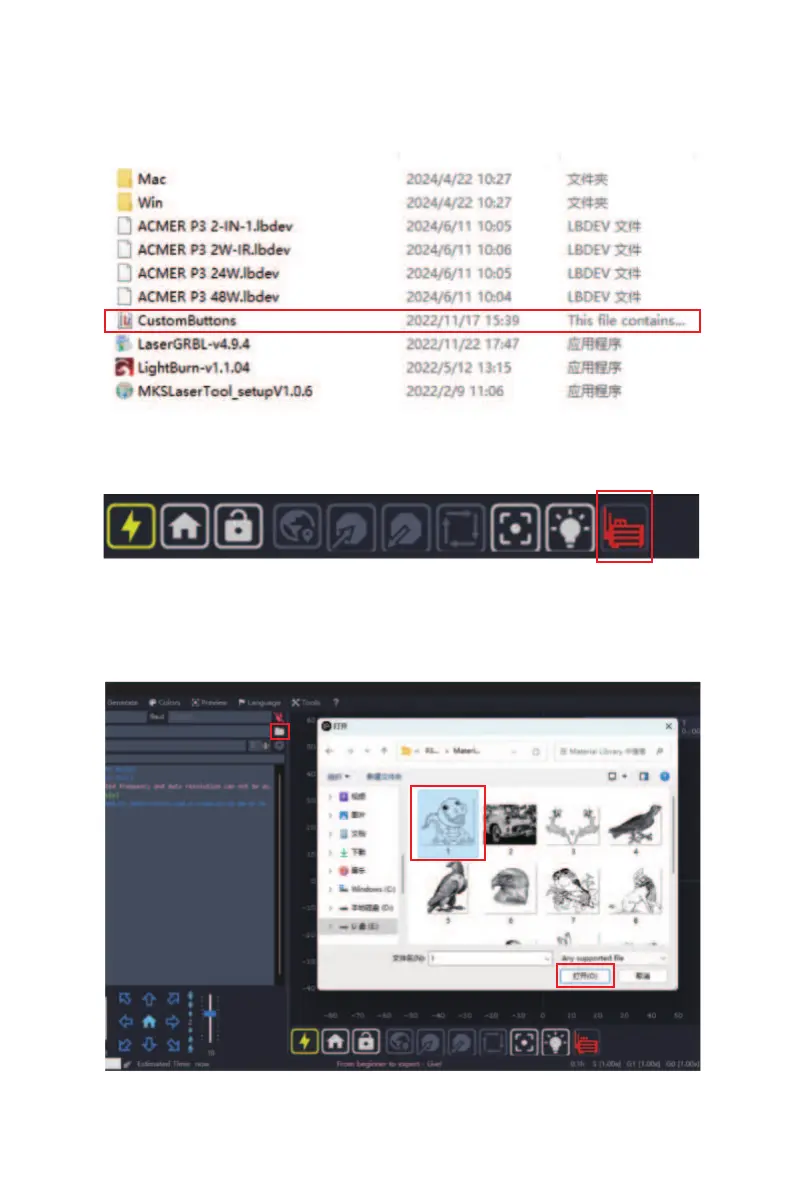
③ In the "Software" folder of the TF card, select the
"CustomButtons" file. After importing, click "OK" or "Yes"
for all the prompt windows.
④ Click the "Air Pump" button to control the air pump
on/o.
(1) Click the "Open File" button;
(2) Select the engraving file;
(3) Click "Open".
⑤
(1)
(2)
(3)



 To Next Page