32
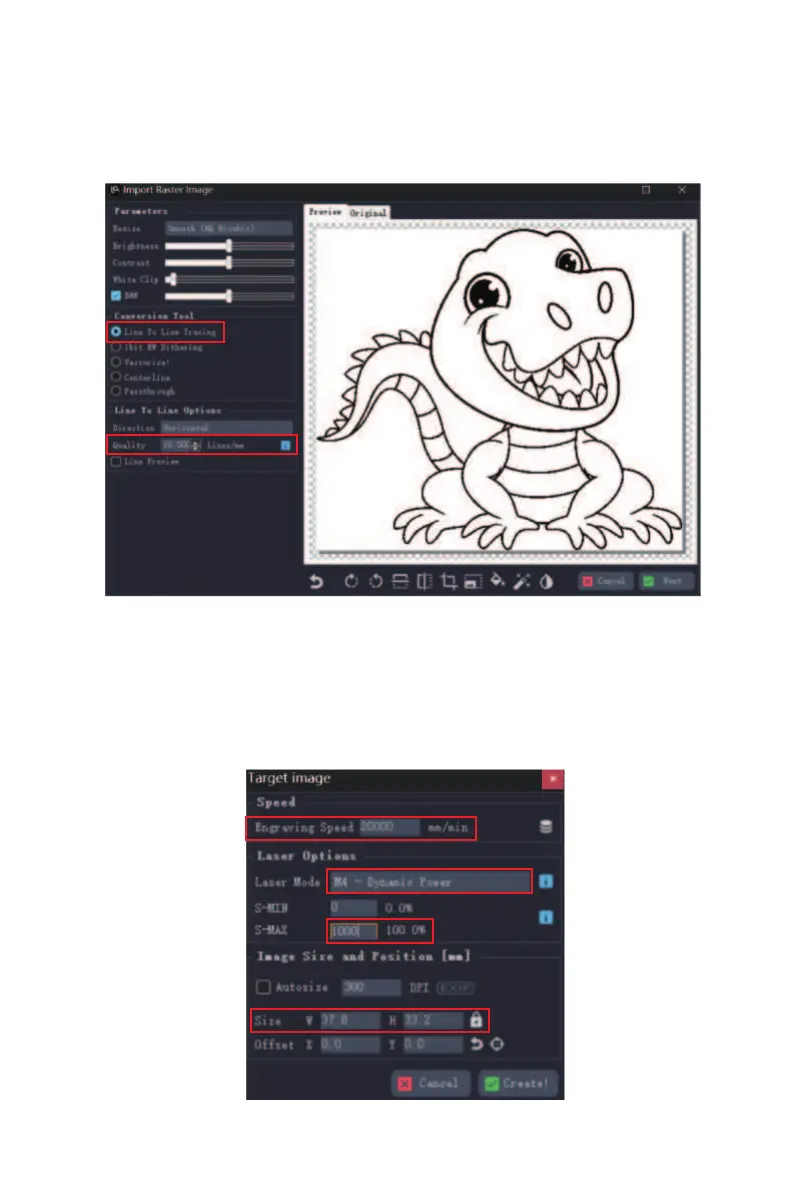
⑥ Select an image, click open. Then select the engraving
mode, refer to the engraving parameter table to enter the
line spacing parameters, and click "Next". (0.1 in the
parameter table corresponds to 10 in the software)
⑦ According to the engraving material, refer to the
engraving parameter table to set the corresponding
engraving speed and power, laser mode ("M3" for cutting,
"M4" for engraving), and engraving size.
(Note the power unit, 1000 in the software is equivalent
to 100% power in the parameter table)



 To Next Page