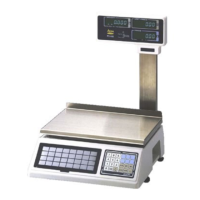
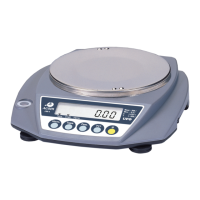
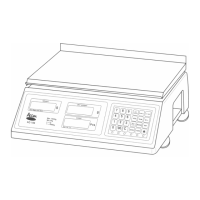
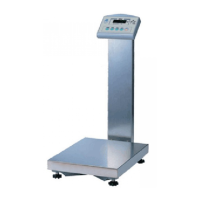
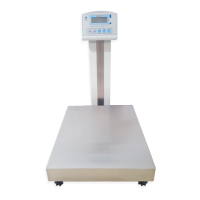
The ACOM PW-200 is a simple weighing scale designed for general weighing purposes. It is manufactured by ACOM Inc. and is identified by model number PW-200 and part number 610-0006. The device is intended to be a high-quality, low-maintenance product.
Technical Specifications
The PW-200 scale offers various maximum capacities and minimum graduations, catering to different weighing needs:
- Maximum Capacity / Minimum Graduation:
- 1.5 kg / 0.5 g
- 3 kg / 1 g
- 3 kg / 1 g
- 6 kg / 2 g
- 6 kg / 2 g
- 15 kg / 5 g
- 15 kg / 5 g
- 30 kg / 10 g
- Maximum Tare Weight: Corresponds to the maximum capacity (e.g., 3 kg for 1.5/3 kg capacity, 30 kg for 15/30 kg capacity).
- A/D Conversion Speed: 12 updates per second.
- Internal Resolution: 1/60,000.
- Display Type: LCD display, with optional backlight and rear display.
- Power Source:
- Four D size 1.5V batteries (6V total).
- DC Adaptor (optional).
- Communication: RS232C (optional).
- Power Consumption: Approximately 0.09 Watts.
- Weighing Pan Size (mm): (W)234 x (D)180.
- Stainless Steel Weighing Pan (mm): (W)300 x (D)265 (optional).
- Product Size (mm): (W)245 x (D)276 x (H)110.
- Product Weight: 2.5 kg.
Installation and Precaution
For optimal performance and longevity, the following installation and precaution guidelines should be followed:
- Placement: The scale must be placed on a flat, rigid surface free from vibrations.
- Electromagnetic Interference: Avoid installing the scale near radio devices that emit strong electromagnetic fields.
- Impact: Do not apply sudden impact onto the weighing pan.
- Liquid Exposure: Do not spill water onto the scale.
- Cleaning: Do not use cleaners that include solvent or thinner.
- Periodic Inspection: This product requires obligatory periodic inspection and proofreading.
Device Components
The PW-200 scale consists of several key parts:
- Platter: The top surface where items are placed for weighing.
- Display: Shows the weight and various indicators.
- Keypad: Includes buttons for ON/OFF, Zero, Tare, and a multi-function key (* / HOLD).
- Level: An indicator to ensure the scale is properly leveled.
- Adjuster: Feet that can be adjusted to level the scale.
- Adaptor Port: For connecting an optional DC power adaptor.
- Battery Compartment: Houses the D size batteries.
- RS-232 Port: For optional serial communication.
Key Functions
The keypad provides the following functionalities:
- ON/OFF Key: Powers the device on or off.
- * / HOLD Key:
- Used to measure un-fixed or unstable objects.
- Can transmit weight data when the scale is in RS232 communication mode.
- Tare Key:
- Sets or deletes the tare weight (weight of a container).
- When pressed, the display shows "0" and the TARE indicator turns on.
- Pressing it again turns off the TARE indicator.
- Zero Key: Re-corrects the weight to zero.
Designators (Indicators)
The display includes several designators to provide status information:
- ZERO: Indicates that the displayed weight is zero.
- STABLE: Indicates that the displayed weight is stable.
- TARE: Indicates that a tare weight has been set.
- Batt: Indicates that the battery needs to be changed.
How to Use
General Weighing
- Ensure "ZERO" and "STABLE" signs are on before weighing.
- Place the goods on the weighing pan.
- Read the correct value after the "STABLE" sign turns on.
- Remove the goods from the weighing pan.
Weighing with TARE Function
- Place the tare (container) on the weighing pan.
- Press the "TARE" key. The weight will become "0" and the "TARE" sign will turn on.
- Put the goods into the tared container.
- Read the correct value after the "STABLE" sign turns on.
- Remove the tare and goods from the weighing pan.
- To disable tare, press the "TARE" key again. The "TARE" sign will turn off.
- Alternatively, you can continue weighing with the same tare.
Weighing with HOLD Function
This function is useful for weighing unstable or un-fixed objects.
- Place the object(s) on the weighing pan.
- Press the "HOLD" key.
- Remove the object(s) from the weighing pan.
Error Table
The scale provides error codes to help diagnose issues:
- Zero (Zero initializing failure): Remove any weight from the weighing pan and restart the scale. If the problem persists, call service.
- EEP (Memory IC error of the circuit): Call service.
- AdC (Analogue circuit error): Call service.
- PArA (Memory loading failure): Call service.
User Parameters (Distributors & Dealers Only)
The scale has user-configurable parameters accessible through a special setting mode (procedures to enter this mode are not detailed in the provided manual for end-users).
Start Up (UP-1)
- 1X: Enters weighing mode after showing battery voltage.
- 0X: Enters weighing mode after a countdown and showing battery voltage.
- 3X: Enters weighing mode directly.
Backlight (UP-2)
- 00: Not used.
- 10: Backlight on for 5 seconds (default).
- 20: Backlight on for positive and minus values.
- 30: Backlight always on.
RS232C (UP-3)
- 21: Handshake mode, Baudrate: 9600 bps (default setting).
- 20: Handshake mode, Baudrate: 19200 bps.
- 01: Stream mode at stable, Baudrate: 9600 bps.
- 00: Stream mode at stable, Baudrate: 19200 bps.
- 11: Stream mode at every A/D conversion, Baudrate: 9600 bps.
- 10: Stream mode at every A/D conversion, Baudrate: 19200 bps.
ECR Selection (UP-4)
- 00: Not used.
- X1: NCI general.
- X2: NCI ECR.
- X3: Toledo 8231.
- 1X: Stream mode.
- 2X: Handshake mode.
Off Time Function
This function allows setting an auto power cut-off period when the scale is not in use.
- 0: Default (no use).
- ??: Configurable in seconds.
- The maximum setting is 180 seconds (3 minutes).

 Need help?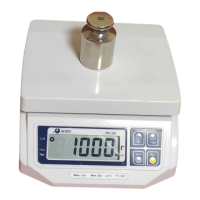

 To Next Page
 General