CLEANING
Speakercloth may be cteoned with anycommercial oranycleaner designedfo
be
used with polyester knit
Use
cleaner such as
K2R
for
concenffated spots.
interface
be
removed
from
the speaker, the following procedure
is
necessary to
discharge the panels:
2.
3.
4.
5.
6.
UNPLUG
interface from the outlet and the
speaker
leads from the
amplifier.
Remove the four
head screws secure the main interface assembly, using the
provided.
the interface unit
from
side brackets
the interface unit on the Boor directly behind the speaker, being careful
not
to unpfug
the three
wire
groups
or
strain the wiring harness.
Remove the center
RED
pin plug.
Hold
the wire an inch behind the pin and
pull.
DO
NOT
GRAB
PLUG!
Touch
to
either the
BLUE
or
WHITE
on the circuit
Loosen the
thumbscrews and remove the hooks.
WARNING: High static
are present
in
the charged panel.
to
fallow these
procedures
will
result
in
an annoying but shack.
-
FREQUENCY BALANCE
CONTROL
frequency balance
is
at the
for
optimum
a
room
acoustics.
This
level can
be
adjusted for situations
in
fhe following manner.
Follow
the for
“REMOVAL
OF
INTERFACE
at fhe end
of
manual. Referring
to
diagram
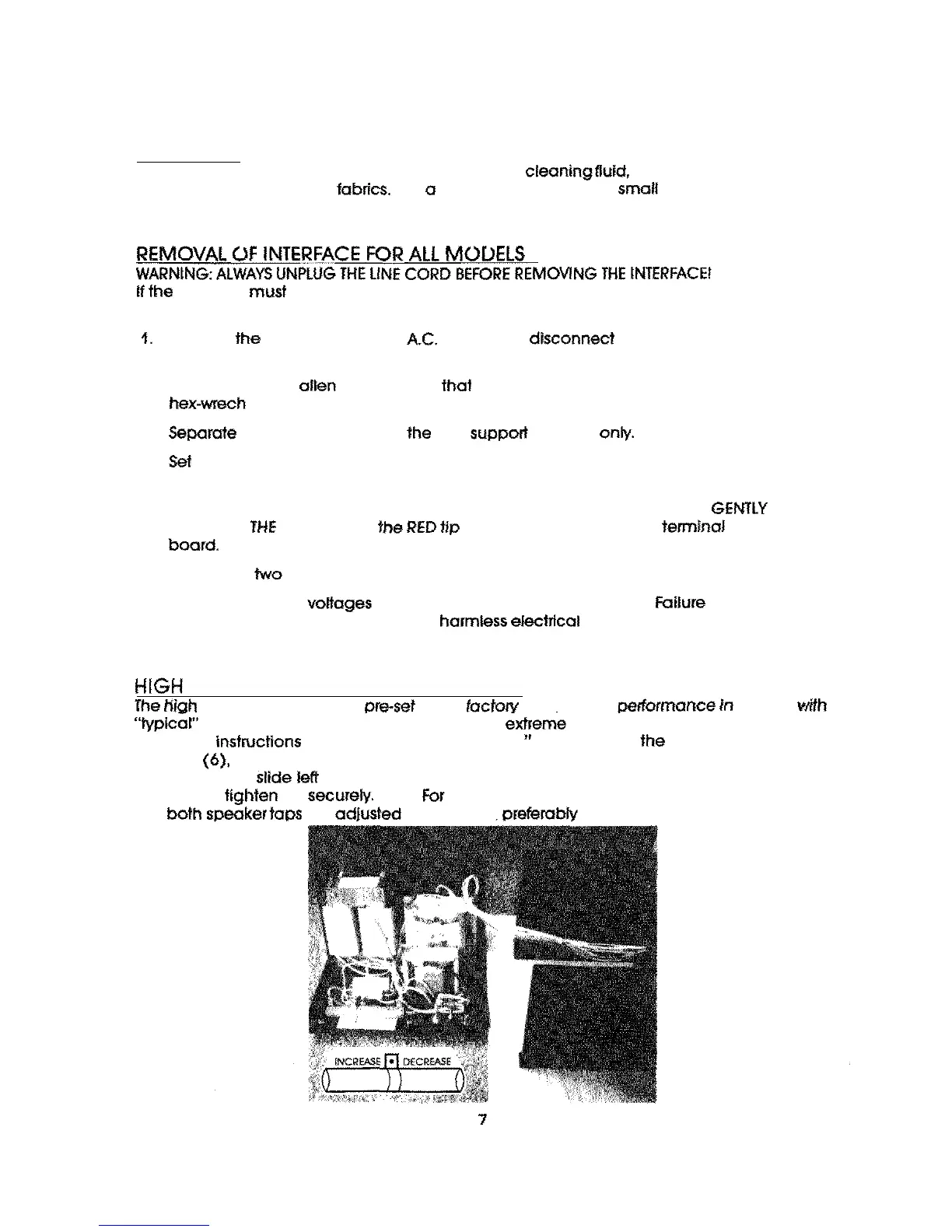
locate the high frequencybatance resistor in the interface assembty. Loosen the
center tap and
or
right, according
to
the diagram for increase or decrease.
After
adjustment, tap
NOTE
optimum performance and stereo imaging be
SURE
that
are
IDENTICALLY.
checked with an ohmmeter.



 To Next Page