SAF’IR EVOLUTION Instruction Manual P a g e 19
Menu options
Recalling a test result
SAF’IR EVOLUTION stores the results of the tests it performs, which may be recalled at any
time.
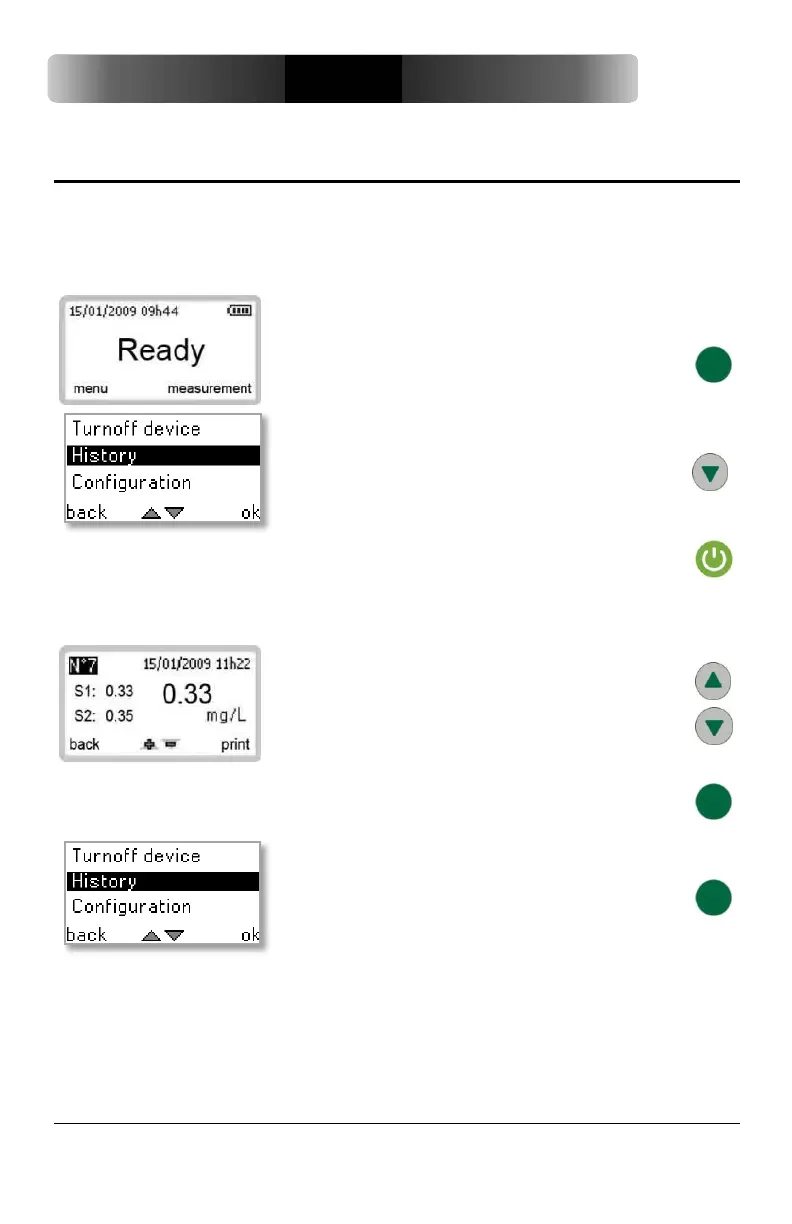
Press the green button to select MENU.
Scroll down the menu options using the DOWN
button and select HISTORY.
Press the start button to select OK.
The result of the most recent test cycle completed is displayed.
Use the UP or DOWN buttons to scroll through the
measurement history.
Press the green button to select BACK and return
to the previous screen.
To return to READY from the measurement
history, press the green button twice.


 To Next Page