EasyManua.ls Logo

ACTi A310 - Step 3: Connect to Network; Step 4: Access the Camera Live View

ACTi A310
23 pages
Print Icon
To Next Page IconTo Next Page
To Previous Page IconTo Previous Page
Loading...
www.acti.com
Hardware Manual
15
Step 3: Connect to Network
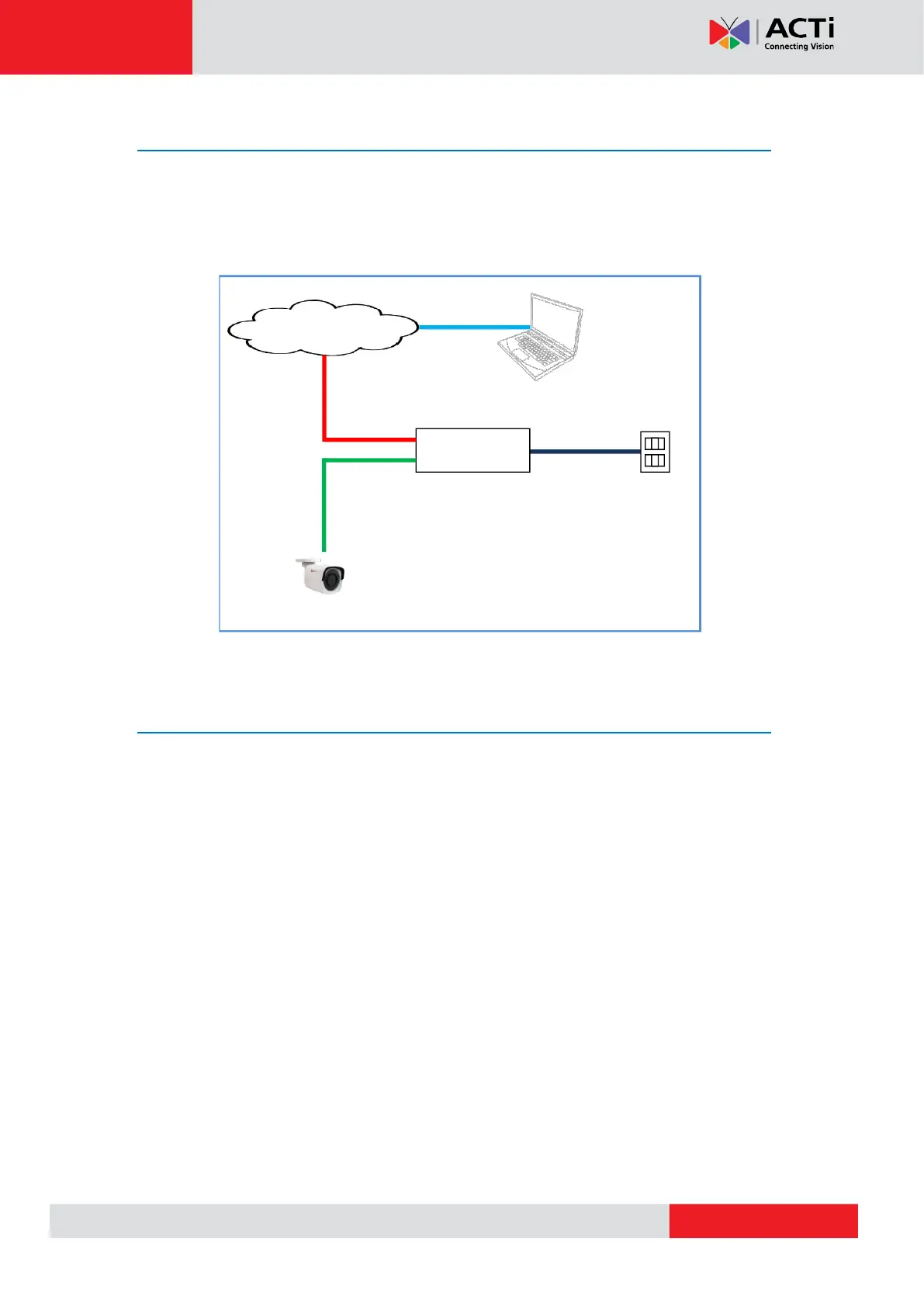
Connect the other end of the network cable to a PoE switch or injector. Then, connect the
switch or injector to a network, PC, and a power source. See Power-over-Ethernet (PoE)
connection example below.
Network
AC Power
Source
PoE Injector /
Switch
Power Cable
Ethernet Cable
Ethernet Cable
(Data + Power)
Ethernet Cable
(Data)
Camera
Step 4: Access the Camera Live View
After making the connections, access the camera live view to adjust the viewing angle of the
camera and configure the settings according to your preference. See Accessing the Camera
on page 17 for more information.

Related product manuals