Need help?
Do you have a question about the ACTi A313 and is the answer not in the manual?
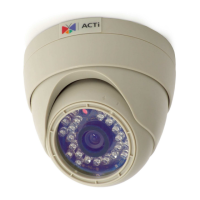
The Mini Bullet Camera, encompassing models A310, A311, A313, and A314, is a versatile surveillance device designed for both indoor and outdoor applications. This hardware manual provides comprehensive instructions for its installation, configuration, and maintenance, ensuring optimal performance and longevity.
The Mini Bullet Camera serves as a robust solution for video surveillance, capable of capturing high-resolution imagery. Depending on the specific model, it offers various advanced features such as Day/Night functionality, Adaptive IR, Extreme WDR (Wide Dynamic Range), Superior WDR, and SLLS (Super Low Light Sensitivity), all equipped with a fixed lens. These features collectively enable the camera to deliver clear and detailed video footage across a wide range of lighting conditions, from bright daylight to complete darkness. The Day/Night function automatically switches between color and monochrome modes based on ambient light, while Adaptive IR ensures even illumination in low-light environments without overexposure. Extreme and Superior WDR technologies are crucial for scenes with significant variations in light, allowing the camera to capture details in both very bright and very dark areas simultaneously. SLLS further enhances performance in extremely dim conditions, producing usable images where conventional cameras might fail.
The camera is designed for network connectivity, utilizing a standard Ethernet port for data transmission and, optionally, Power over Ethernet (PoE) for both power and data through a single cable. This simplifies installation and reduces cabling requirements. For non-PoE setups or when a PoE switch has limited power, an external DC 12V power adapter can be used. Local recording capabilities are supported via a memory card slot, allowing for on-device storage of video footage, which can be particularly useful for backup or standalone operation.
A key functional aspect is its ease of access and configuration. Once connected to a network, the camera's live view can be accessed and settings adjusted through a web browser, specifically Microsoft Internet Explorer, which supports all camera functionalities including live video, resizable live video area, PTZ (Pan-Tilt-Zoom) control (if applicable to the model's capabilities, though fixed lens models primarily refer to digital PTZ or viewing angle adjustments), snapshot capture, video overlay-based configurations (such as motion detection regions and privacy mask regions), and other general settings. The camera's default IP address and port facilitate initial setup, and a dedicated IP Utility software is provided to discover and manage multiple cameras on the network, simplifying the process of assigning unique IP addresses and updating firmware.
The Mini Bullet Camera is designed for straightforward installation and flexible deployment. Its physical design allows for various mounting options, including wall and ceiling installations, with adjustable tilt and orientation to achieve the desired viewing angle. The camera's bracket stem can be twisted for panning adjustments, providing versatility in positioning.
For outdoor installations, the camera incorporates robust waterproofing measures. A bundled cable gland is used to protect the Ethernet connector from water ingress, ensuring reliable operation in adverse weather conditions. For other cable connections, such as the DC 12V power input, waterproof tape is recommended to maintain environmental protection. This attention to detail in weatherproofing makes the camera suitable for a wide range of outdoor surveillance scenarios.
Network integration is a core usage feature. The camera can be connected to a network with or without a DHCP server. In networks with a DHCP server, the camera automatically obtains an IP address, making it immediately accessible. For networks without a DHCP server, or when specific IP addresses are required, the camera defaults to a predefined IP address (192.168.0.100), and users can manually configure the IP address of their PC to match the camera's network segment for initial access. The IP Utility software significantly streamlines the process of discovering cameras, assigning unique IP addresses to multiple devices, and performing bulk configurations, which is invaluable for larger deployments.
The web-based interface, accessible via Microsoft Internet Explorer, provides a comprehensive suite of tools for managing the camera. Users can view live video streams, adjust the size of the video display, take snapshots, and configure advanced surveillance features. The ability to define motion detection regions allows for intelligent monitoring, triggering alerts or recordings only when activity is detected in specified areas. Privacy mask regions ensure compliance with privacy regulations by obscuring sensitive areas within the camera's field of view. The ActiveX control for video stream management, downloaded directly from the camera, ensures a seamless user experience without the need for additional third-party software installations.
Maintenance of the Mini Bullet Camera is designed to be user-friendly and efficient. Regular cleaning is recommended to ensure optimal image quality, and users are advised to disconnect the camera from its power supply before cleaning to prevent any electrical hazards.
The camera supports local storage via a microSD card, which can be easily installed or removed. This feature is crucial for maintaining continuous recording even if network connectivity is temporarily lost, or for standalone applications where network storage is not feasible. The process involves loosening two screws with a bundled wrench to remove the cover, inserting the microSD card with metal contacts facing the lens, and then re-securing the cover, ensuring the rubber seal is properly in place for environmental protection.
Firmware upgrades are facilitated through the IP Utility software, allowing users to keep their cameras updated with the latest features, bug fixes, and security enhancements. This ensures the camera operates with peak performance and security over its lifespan. The IP Utility also provides valuable diagnostic information, such as serial numbers, MAC addresses, and current firmware versions, aiding in troubleshooting and asset management.
In the event of configuration issues or forgotten passwords, the camera includes a reset button. Pressing and holding this button restores the camera to its factory default settings, providing a quick recovery mechanism. This feature is particularly useful for resolving software-related problems without requiring complex reconfigurations.
For any servicing or repairs, users are strongly advised to refer to qualified service personnel. The manual explicitly warns against attempting to service the product independently, as opening covers may expose users to dangerous voltages. This emphasizes safety and ensures that any necessary repairs are performed correctly, preserving the camera's functionality and warranty. The use of manufacturer-recommended accessories and repair parts is also stressed to prevent hazards and maintain product integrity. Upon completion of any service, a safety check by a service technician is recommended to confirm proper operating condition.
 General
| Sensor Type | CMOS |
|---|---|
| Maximum Resolution | 1920 x 1080 |
| Day/Night | Yes |
| Video Compression | H.264, MJPEG |
| Audio Support | Yes |
| Audio Compression | G.711 |
| Wireless | No |
| Resolution | 1920x1080 |
| Lens Type | Fixed |
| Viewing Angle | 92° |
| IR Distance | 30 m |
| Frame Rate | 30 fps |
| Ethernet | 10/100 Mbps |


 To Next Page