Hardware Manual
15
Using the Cable Gland on A49
This section describes how to waterproof the cable-out or “pigtail” of A49 camera using the
bundled cable gland.
Before connection, prepare an exterior-grade Ethernet cable with RJ-45 connector (without
sleeve).
Perform the following to waterproof the “pigtail” using the cable gland:
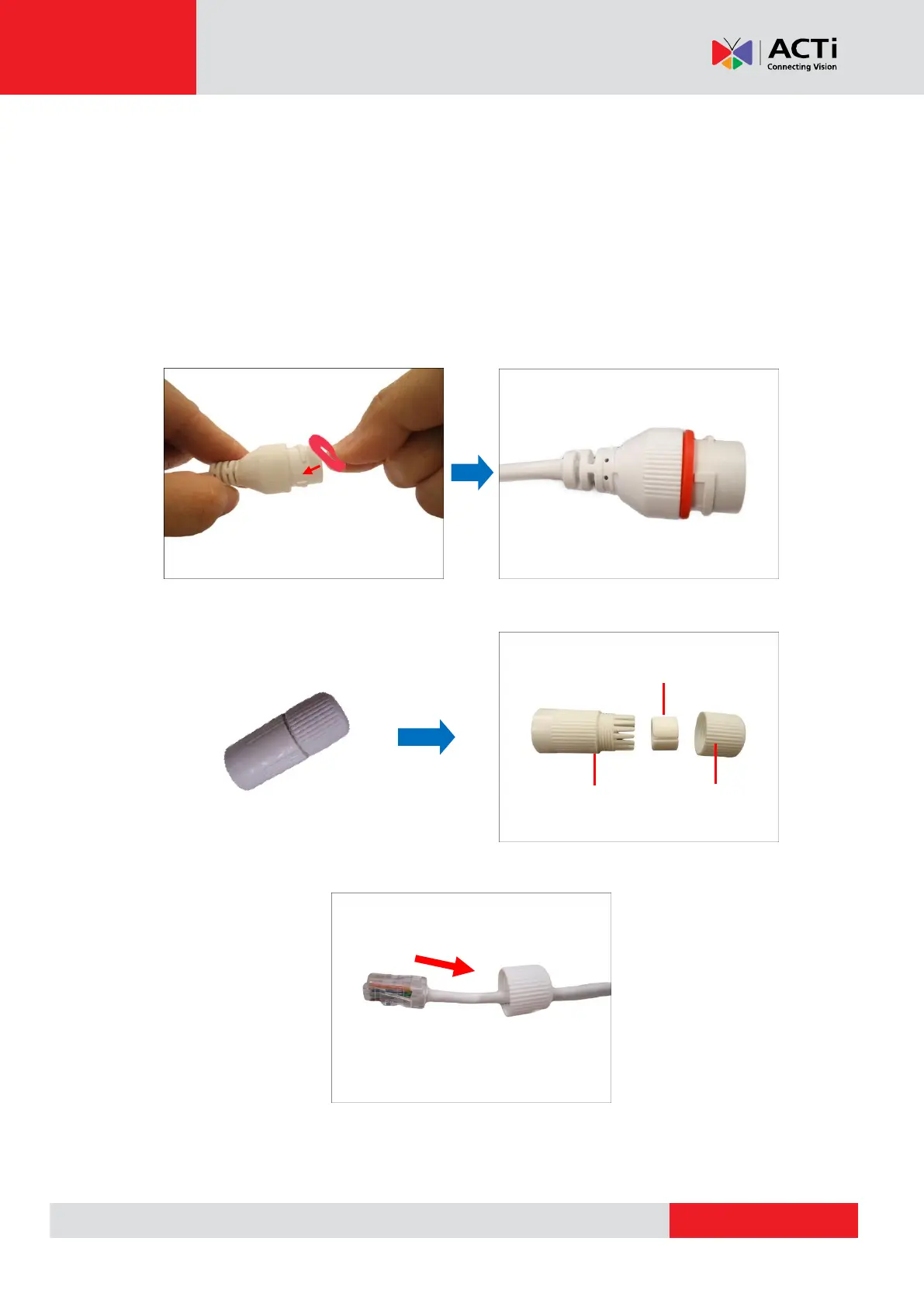
1. Attach the washer to the Ethernet connector of the camera.
2. Detach the clamping nut and sealing insert from the gland body:
3. Insert the clamping nut into the Ethernet cable.



 To Next Page