Hardware Manual
11
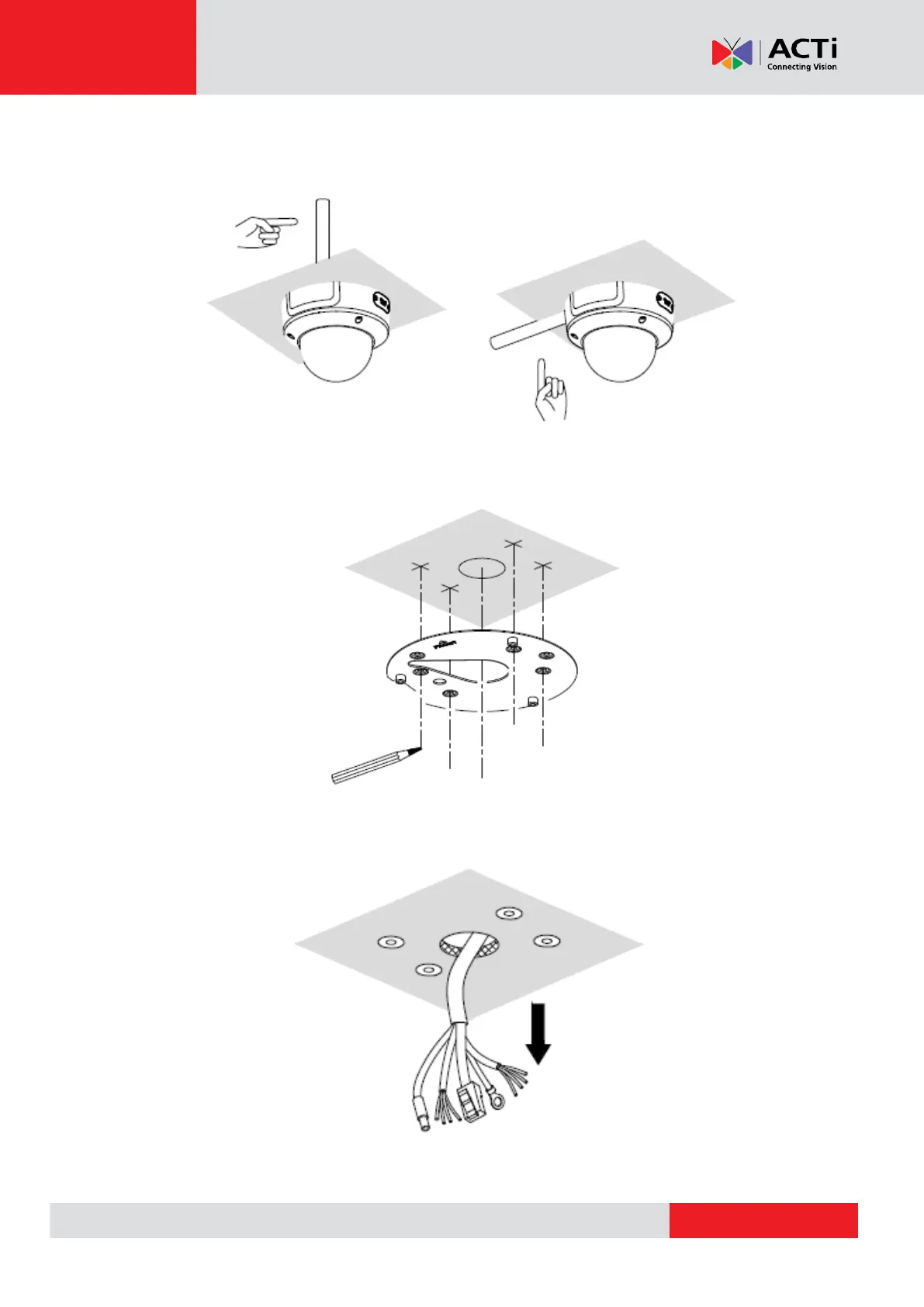
4. Determine whether the cable will go through a hole on the surface or be routed along the
surface. Note also the direction to which the cable will be routed.
5. Mark the screw holes and cable hole (if the cable will pass through the surface) using the
bundled surface mount plate as template. Then drill the necessary holes.
6. Route the cables from the network side to pass through the surface and prepare for cable
connection.



 To Next Page