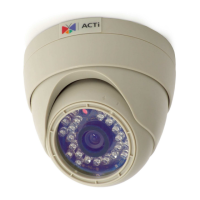
Hardware Manual
2
Table of Contents
Precautions 3
Safety Instructions ........................................................................... 5
Introduction 6
List of Models .................................................................................... 6
Package Contents ............................................................................. 7
Physical Description ........................................................................ 8
Mounting Options ............................................................................. 9
Installation Procedures 10
Step 1: Prepare for Installation ...................................................... 10
Step 2: Route the Cables ............................................................... 13
Step 3: Mount the Camera ............................................................. 16
Step 4: Connect to Network ........................................................... 16
Step 5: Access the Camera Live View ........................................... 17
Step 6: Adjust the Viewing Angle and Orientation ....................... 17
Step 7: Clean & Close the Dome Cover ........................................ 18
Accessing the Camera 19
Configure the IP Addresses ........................................................... 19
Using DHCP Server to Assign IP Addresses ................................ 19
Using the Default Camera IP Address .......................................... 20
Access the Camera ......................................................................... 22



 To Next Page