Hardware Manual
10
Installation Procedures
This section describes procedures in mounting the camera on a flat surface.
NOTE: The camera images on this documentation are for reference only and may be different
from the actual camera.
Step 1: Prepare for Installation
1. Before installing the camera, prepare the additional accessories required for installation, such
as cables, memory card, etc.
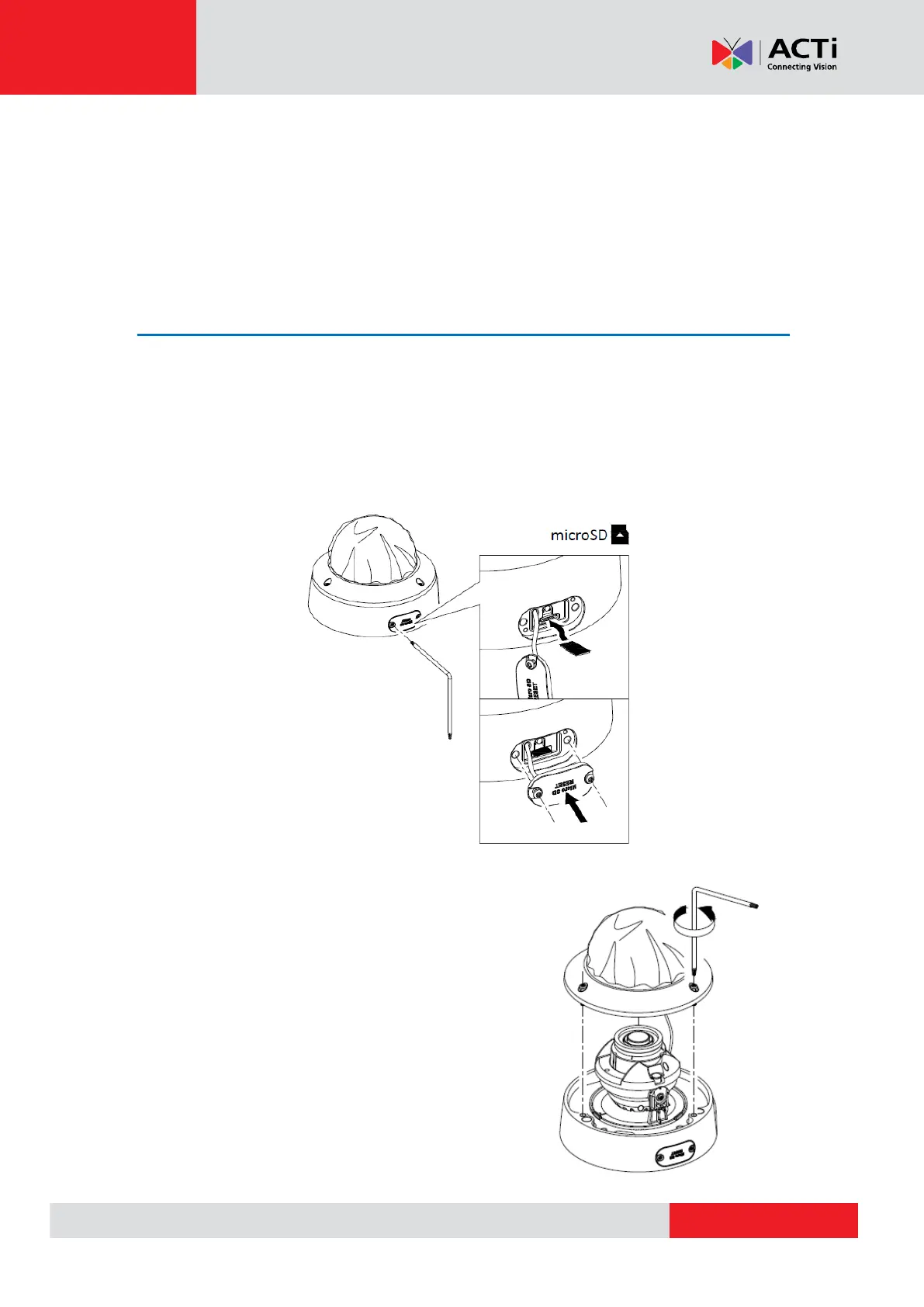
2. If a memory card will be used for local storage, insert the card with the metal contacts facing
the lens.
3. Open the dome cover.



 To Next Page