Hardware Manual
25
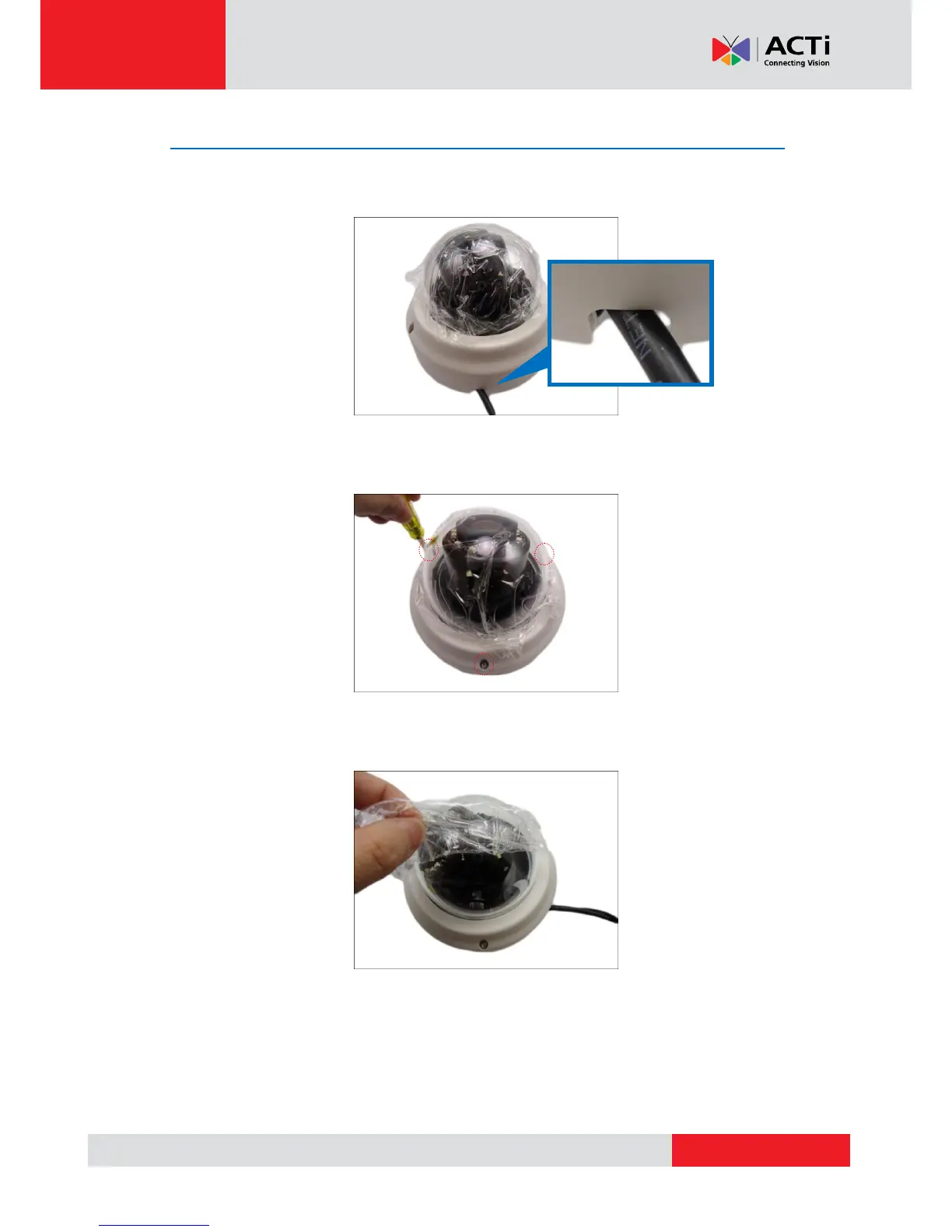
Step 7: Close the Dome Cover
1. Align the screws with the screw holes of the camera. Note that if the cables are routed
along the ceiling or wall, route the cable to pass through the cable hole on the dome cover.
2. Tighten the three (3) screws to attach the dome cover to the camera body.
3. Remove the plastic covering the dome cover.



 To Next Page